67.6.10. UART software rx idle detection
67.6.10.1. Overview
In this example project, UART receives variable length data with software rx idle detection via DMA(data size less than defined BUFF_SIZE in program). This method is used when UART hardware does not support receive idle detection. Receive idle detection is realized by detecting RX signal with TRGMUX and GPTMR software. If the hardware supports receiving idle detection, uart can use uart_hardware_rx_idle sample.
67.6.10.2. Port Settings
Serial port baud rate is set to
115200bps, withone stop bitandno parity bit
67.6.10.3. Hardware Setting
This example requires a USB to serial tool.
Connect the TX pin of the USB to serial tool to the UART RX pin on the board, and connect the GND pin of the USB to serial tool to the board.
Connect the UART RX pin on the board to the TRGMUX input IO pin on the board.
Please refer to pin description.
67.6.10.4. Running the example
Open serial debug assistant 1, configure the port number, baud rate and other parameters used by the USB to serial tool, then send data. Open serial debug assistant 2, configure the port number, baud rate and other parameters used by the board debug interface, then you can see the debug information. When the project runs correctly, send data through the USB to serial tool’s serial assistant, such as “1234567890123”, the board debug interface serial assistant will output the information in the following format:
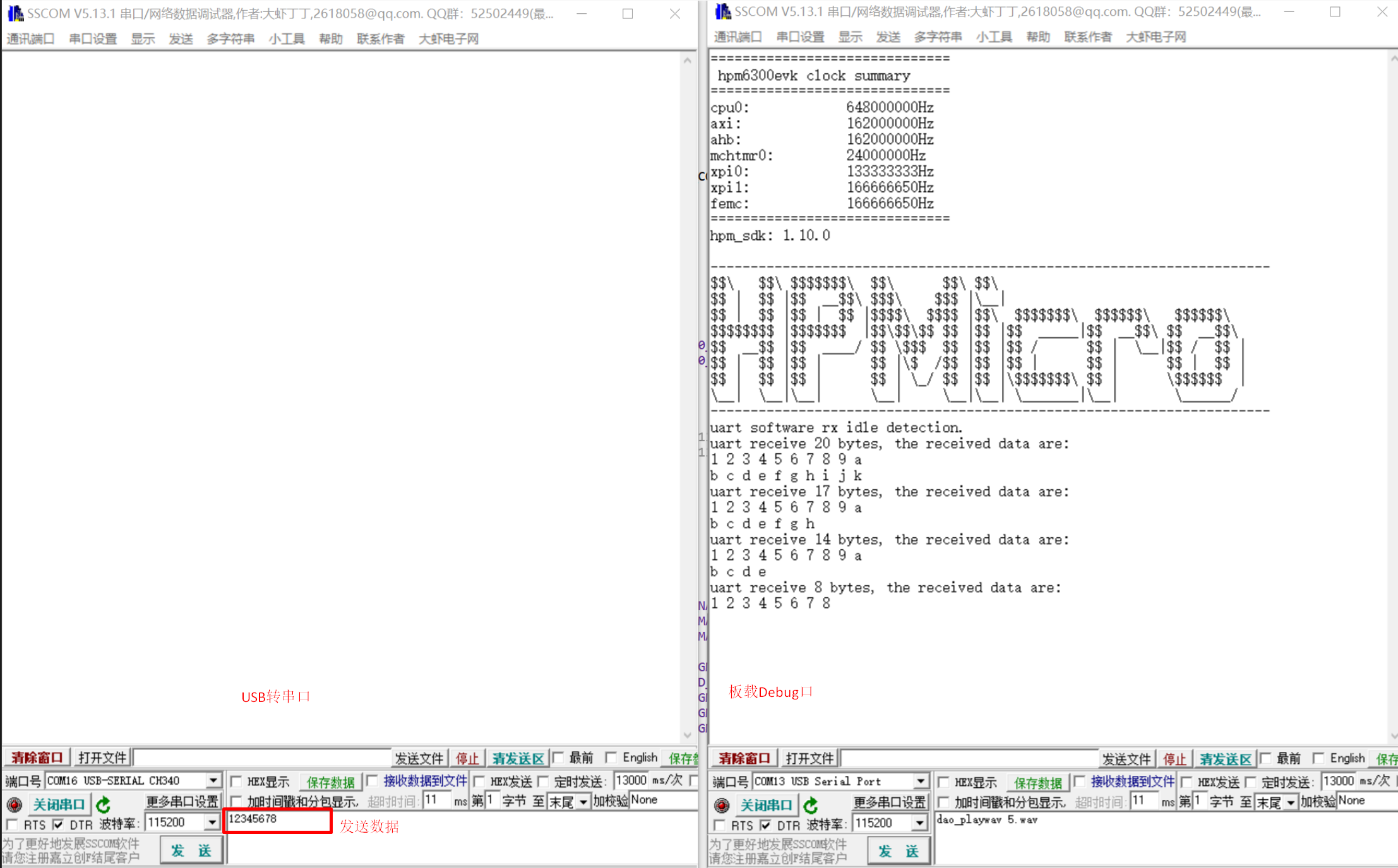
uart software rx idle detection.
uart receive 13 bytes, the received data are:
1 2 3 4 5 6 7 8 9 0
1 2 3