24.1. lin_master
24.1.1. Overview
The lin_master sample project shows that LIN sends/receives data at master mode.
24.1.2. Board Setting
Requires a LIN transceiver and USB_LIN debugger Please refer to Pin Description for specific board. connect LIN transceiver mcu signal to LIN’s TX and RX on board, connect LIN transceiver LIN signal to USB_LIN debugger.
24.1.3. Running the example
Configure usb_lin debugger:
Configure com and baudrate, then click
Set to Debuggeroption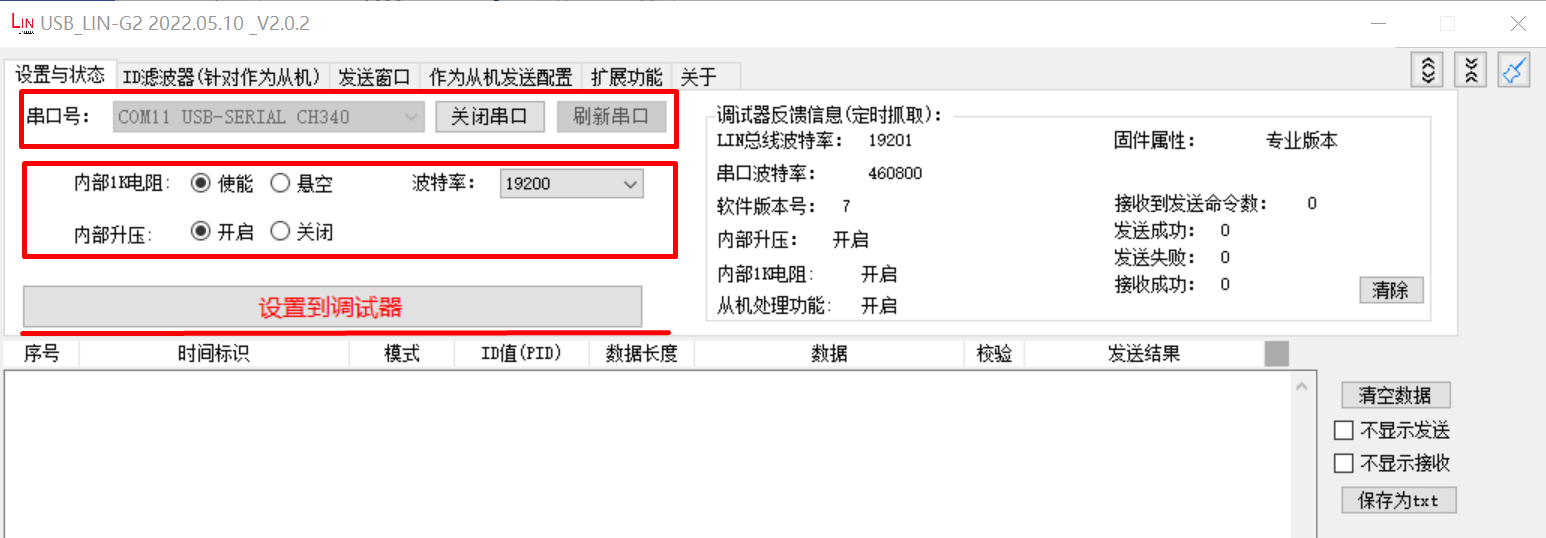
Set ID, data and checksum mode, tick
enable option, then clickConfigure to Debuggeroption: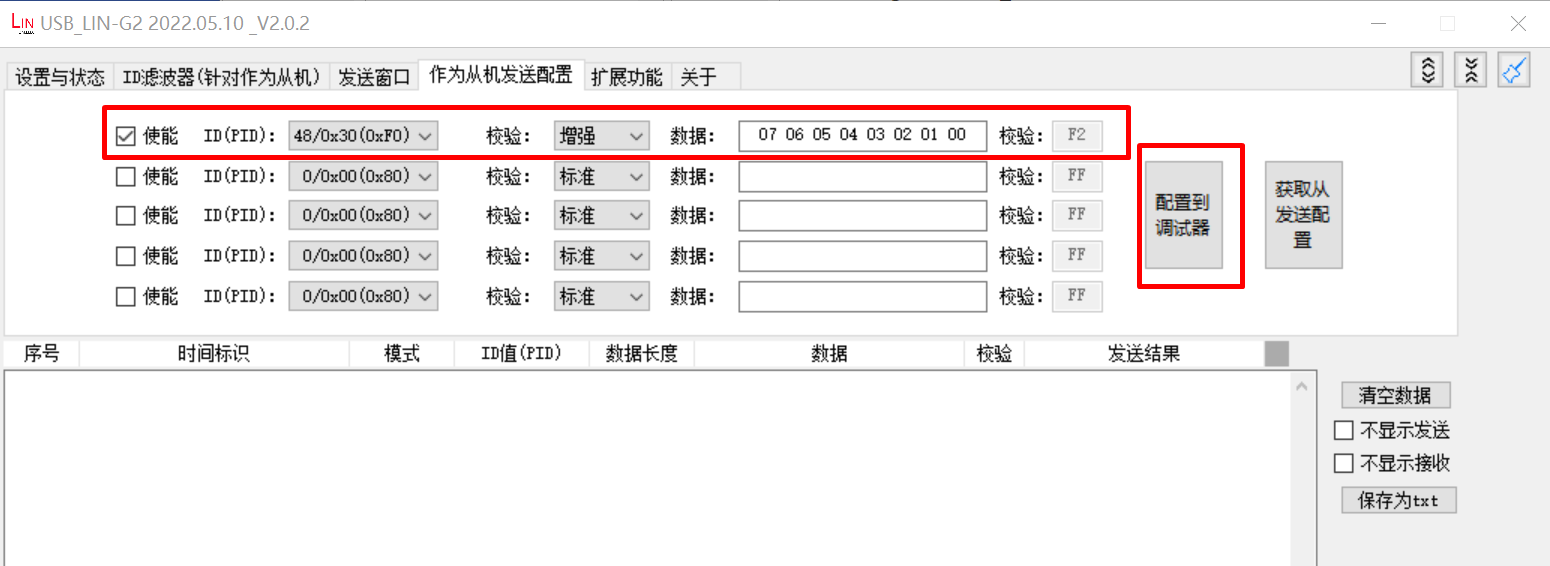
Running the example, check the result in debugger window
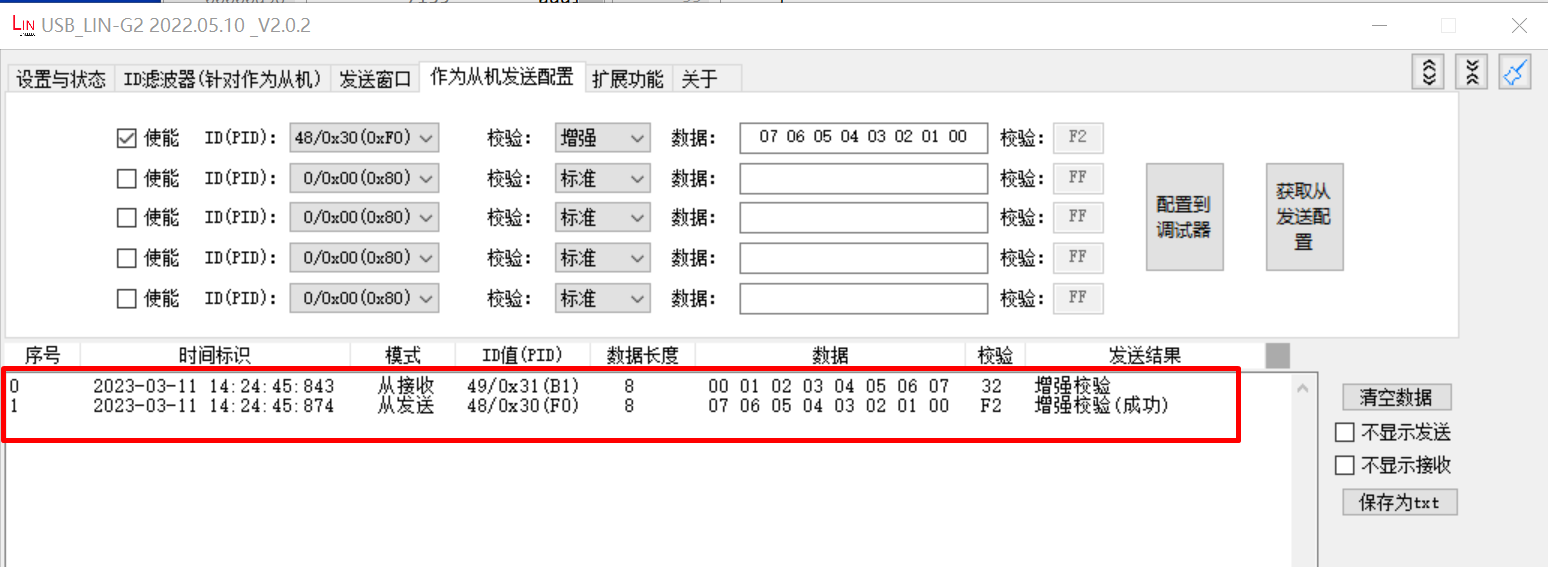
When the example runs successfully, the log would be seen on the terminal like:
LIN master example
LIN master sent wakeup signal
ID: 31, sent 8 bytes:
0 1 2 3 4 5 6 7
ID: 30, receive 8 bytes
7 6 5 4 3 2 1 0