14.18. lwip_tcpecho_multi_ports_rtthread-nano
14.18.1. Overview
This example shows TCP echo communication on multiple ports on RTThread-Nano.
PC sends TCP data frames to MCU, and then MCU sends the data frames back to PC
14.18.2. Board Settings
Connect a USB port on PC to the PWR DEBUG port on the development board with a USB Type-C cable
Connect two Ethernet ports on PC to a RGMII port and a RMII port on the development board with two Ethernet cables
14.18.3. Project Configurations
Ethernet Port Settings: Refer to Ethernet common project settings
Ethernet DHCP Configurations
the configurations in the
CMakeLists.txtas follows:sdk_compile_definitions(-DLWIP_DHCP=0): Disable DHCP feature
sdk_compile_definitions(-DLWIP_DHCP=1): Enable DHCP feature
14.18.4. Run Example
Compiling and Downloading
Running log is shown in the serial terminal as follows:
This is an ethernet demo: TCP Echo With Multi Ports On RTThread-Nano
LwIP Version: 2.1.2
Enet1 Reference Clock: Internal Clock

 \ | /
- RT -     Thread Operating System
 / | \     3.1.5 build Mar 18 2024
 2006 - 2020 Copyright by rt-thread team
msh >Enet0 init passed!
Enet1 init passed!
================ Network Interface 1 ================
Link Status: Down
================ Network Interface 1 ================
Link Status: Up
Link Speed:  100Mbps
Link Duplex: Full duplex
================ Network Interface 1 ================
IPv4 Address: 192.168.200.10
IPv4 Netmask: 255.255.255.0
IPv4 Gateway: 192.168.200.1
================ Network Interface 0 ================
Link Status: Down
================ Network Interface 0 ================
Link Status: Up
Link Speed:  1000Mbps
Link Duplex: Full duplex
================ Network Interface 0 ================
IPv4 Address: 192.168.100.10
IPv4 Netmask: 255.255.255.0
IPv4 Gateway: 192.168.100.1
Run an Ethernet debugging tool
create and set two TCP clients: TCP Server 0 IP: 192.168.100.10/Port: 5001 TCP Server 1 IP: 192.168.200.10/Port: 5002
Note: There is a necessary adjustment for Server IP according to the segment of LAN where PC resides
Connect
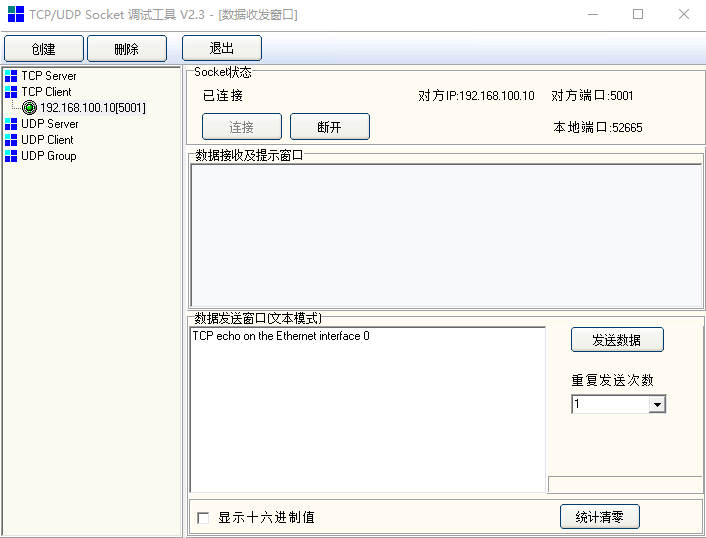
Enter and send any characters in the edit window(192.168.100.10/5001)
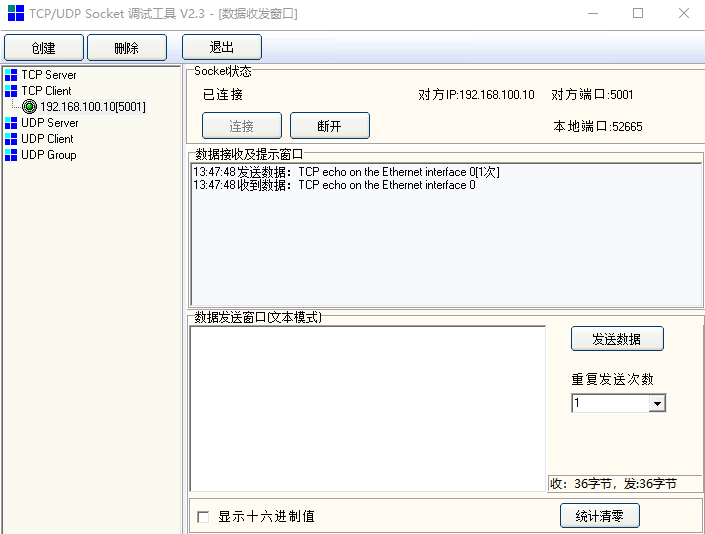
Watch the characters echoed from MCU window(192.168.100.10/5001)
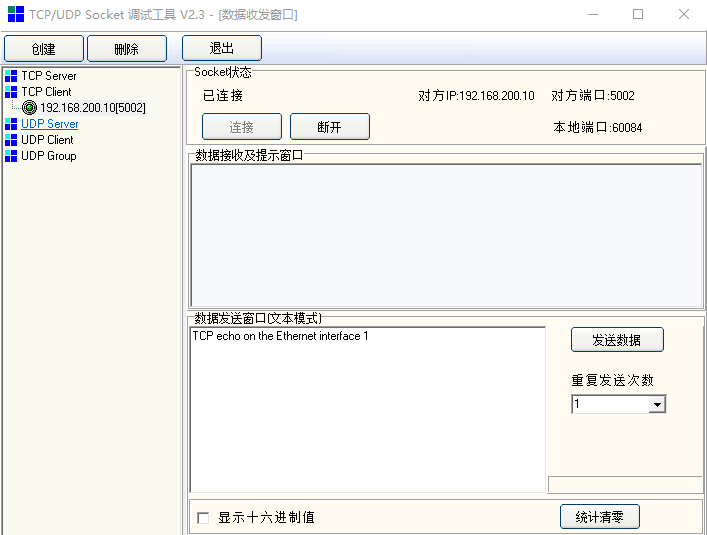
Enter and send any characters in the edit window(192.168.200.10/5002)
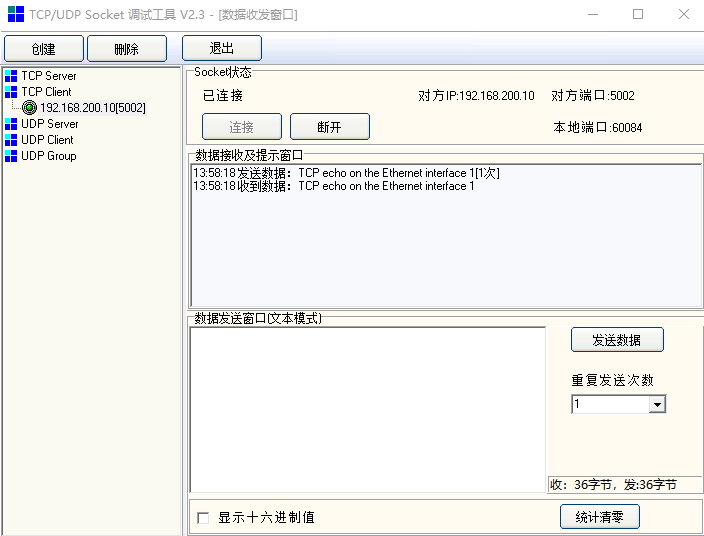
Watch the characters echoed from MCU window(192.168.200.10/5002)