12.1. ECAT_CiA402
12.1.1. 1. Overview
The ECAT_CIA402 example demonstrates the use of ESC peripherals and the implementation of CANOPEN CiA402 protocol control motor function based on ETG slave protocol stack code (SSC).
This routine program supports initializing the EEPROM data of the ESC, simplifying the process of updating the ESC’s EEPROM.
If the program code contains EEPROM data (eeprom.h) generated by the SSC Tool, it will check the data stored in the ESC’s EEPROM and update it based on conditions.
If the checksum of the EtherCAT Slave Controller Configuration Area (the first 8 words) of the EEPROM failed, the EEPROM will be initialized with the data from eeprom.h.
If the checksum of the EtherCAT Slave Controller Configuration Area (the first 8 words) of the EEPROM succeeds, will verify the Product Code and Revision Code in the EEPROM data.
When the Product Code differs or the Revision Number in eeprom.h is greater than the Revision Number of the currently stored EEPROM data, the EEPROM will be initialized with the data from eeprom.h.
This method can solve the problem of checksum failure caused by EEPROM being empty during initial use, it will initialize EEPROM. During program upgrades, if the Revision Number in the eeprom.h included in the new program code is greater than the Revision Number of the currently stored EEPROM data, the EEPROM will be initialized with the eeprom.h, eliminating the need to update the EEPROM through master station tools such as TwinCAT.
12.1.2. 2. Prepare
Please refer to the README of ECAT_IO sample
This program uses the BLM57050-1000 brushless motor of “Leisai Intelligence”, please refer to the Leisai Intelligence website for the specific parameters of the motor.
Board settings refer to the development board documentation Motor Pin related content
After completing the above process, power on the driver board and observe that the current is normal. Then, power on the core board and confirm that the current is normal again. After that, you can burn the program and observe the running phenomenon.
12.1.3. 3. Project Setting
12.1.3.1. 3.1 Flash emulate EEPROM
Please refer to the README of ECAT_IO sample
Note : When using FLASH to simulate EEPROM, please allocate appropriate flash space for FLASH-EEPROM content to avoid conflicts with other flash contents
12.1.3.2. 3.2 Using virtual motor
By default, the actual motor is used for motion control. If a virtual motor is required, set “set (CONFIG_CIA402_USING_ACTUAL_MOTOR 0)” in the file CMakeLists. txt.
12.1.4. 4. Generate EtherCAT slave stack code
Due to licensing issues, HPMSDK does not provide EtherCAT slave protocol stack code (SSC). Users have download the SSC Tool from Beckoff’s official website and generate the slave stack code according to the steps.
12.1.4.1. 4.1. Download SSC Tool
Please refer to the README of ECAT_IO sample
12.1.4.2. 4.2 SSC Tool import configuration files
Please refer to the README of ECAT_IO sample, import configuration file path: <hpm_sdk>/samples/ethercat/ecat_cia402/SSC/Config/HPM_ECAT_CIA402_Config.xml
12.1.4.3. 4.3 Create slave stack files
create new project, select the configuration file
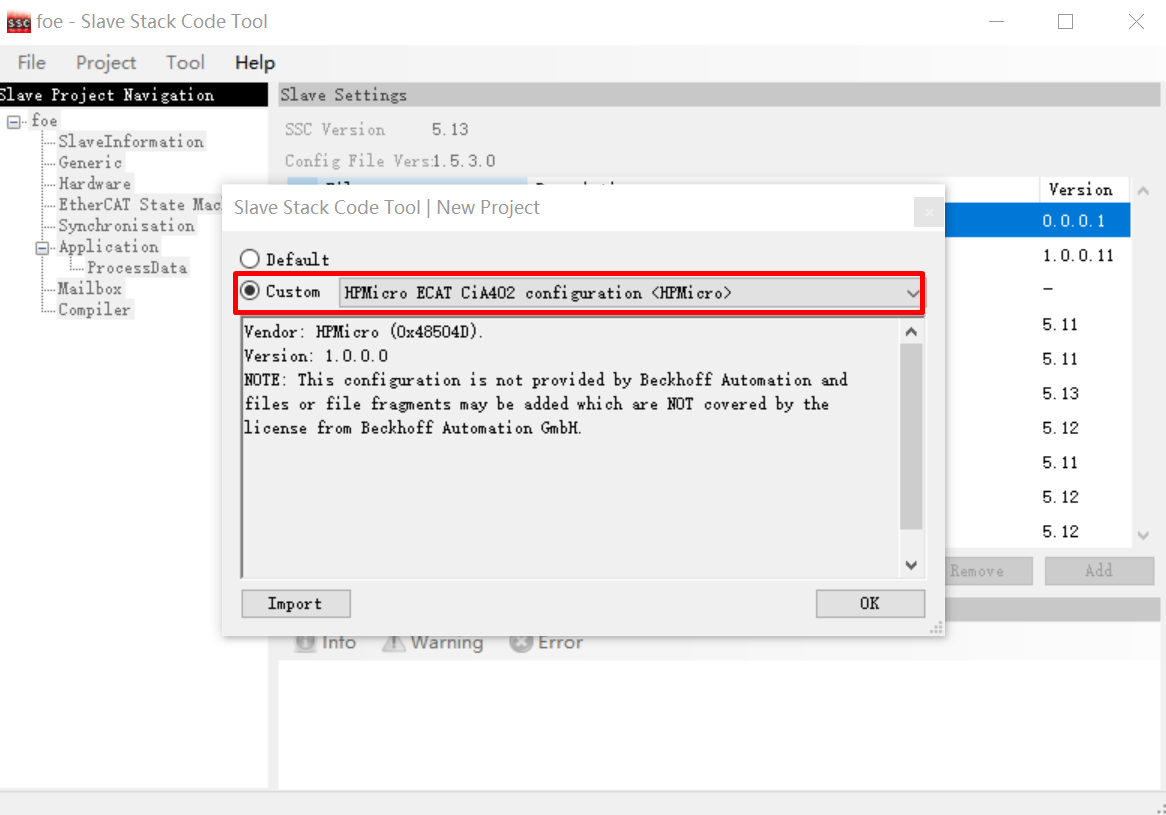
Specify the output path and generate slave stack code
12.1.4.4. 4.4 SSC code change
Add motor control related codes to the code generated by SSC by patching. Execute in the command line window under the SSC directory:patch -d Src < ssc_cia402.patch
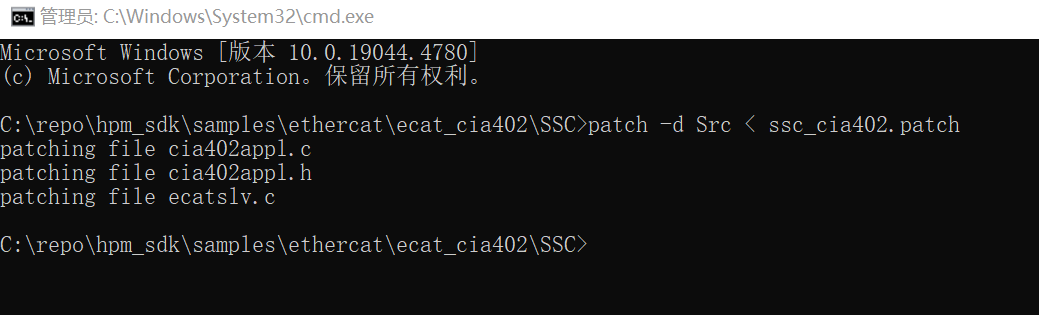
Note :If the patch command is not installed on your PC, you will need to install ver.2.5.9 or a laterversion of GNU patch. If it is already installed, skip this step. Download the patch command (currently ver.2.5.9) from the following Web page and store “patch.exe” in a folder on a path that makes the file executable from the command prompt. http://gnuwin32.sourceforge.net/packages/patch.htm
12.1.5. 5. TwinCAT Project setting
12.1.5.1. 5.1. Add ESI file
Please modify the device attributes(<Device Physics=”YY”>) in generated ESI xml by SSC tool according to the actual number of ports, The default attribute generated in ESI is “YY”, indicating that Port0 and Port1 are implemented. If Port0, Port1, and Port2 are actually implemented, please manually modify the attribute to “YYY”.
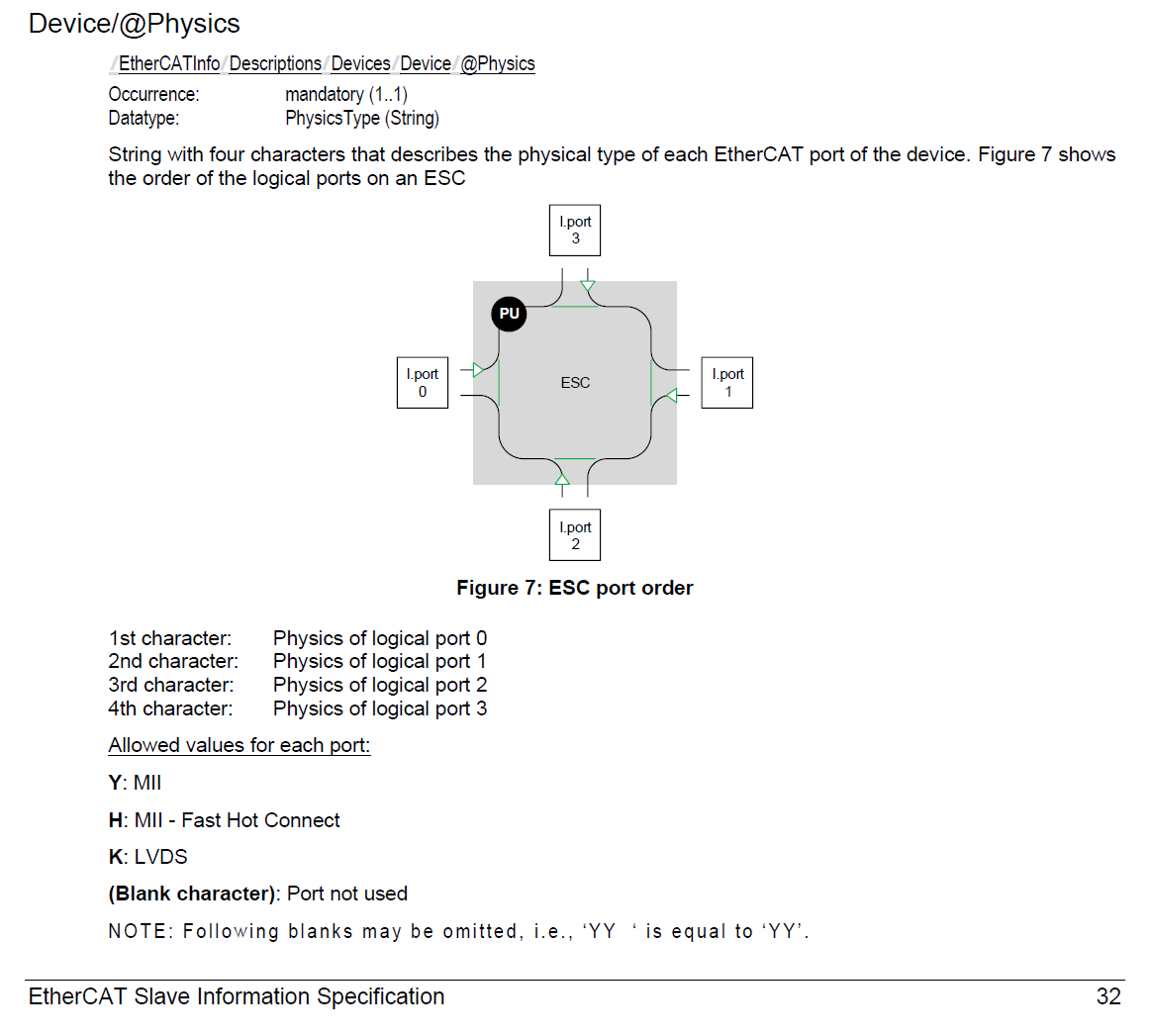
Copy the ESI xml to TwinCAT( C:/TwinCAT/3.1/Config/Io/EtherCAT ).
12.1.5.2. 5.2 Create Project
Please refer to the README of ECAT_IO sample
12.1.5.3. 5.3 Software Configuration
Please refer to the README of ECAT_IO sample
12.1.5.4. 5.4 Scan device
Please refer to the README of ECAT_IO sample
12.1.5.5. 5.5 Update EEPROM context
Please refer to the README of ECAT_IO sample, select ESI file

12.1.5.6. 5.6 NC axis control
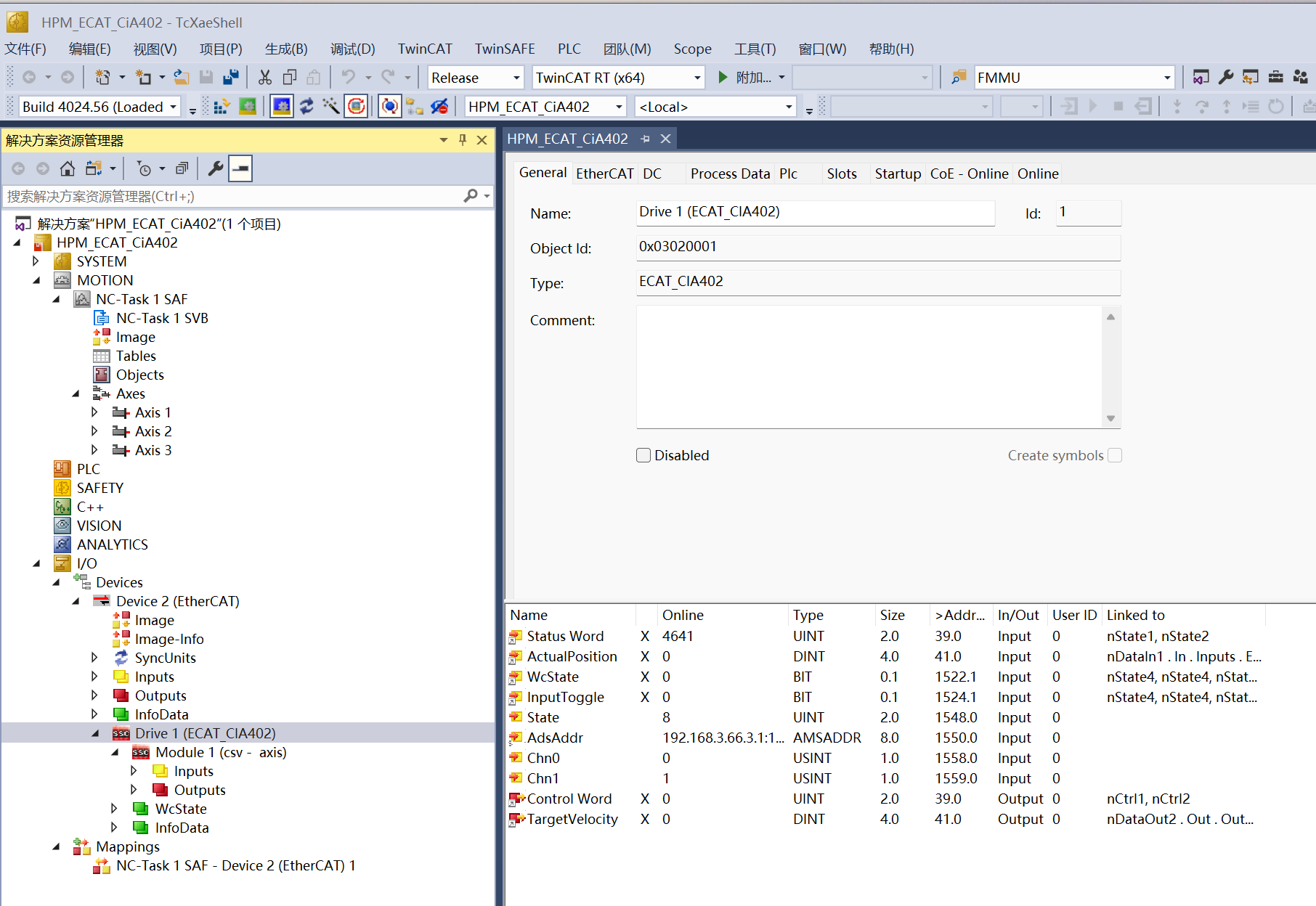
scan device,add NC-Configuration, the default mode is csv:
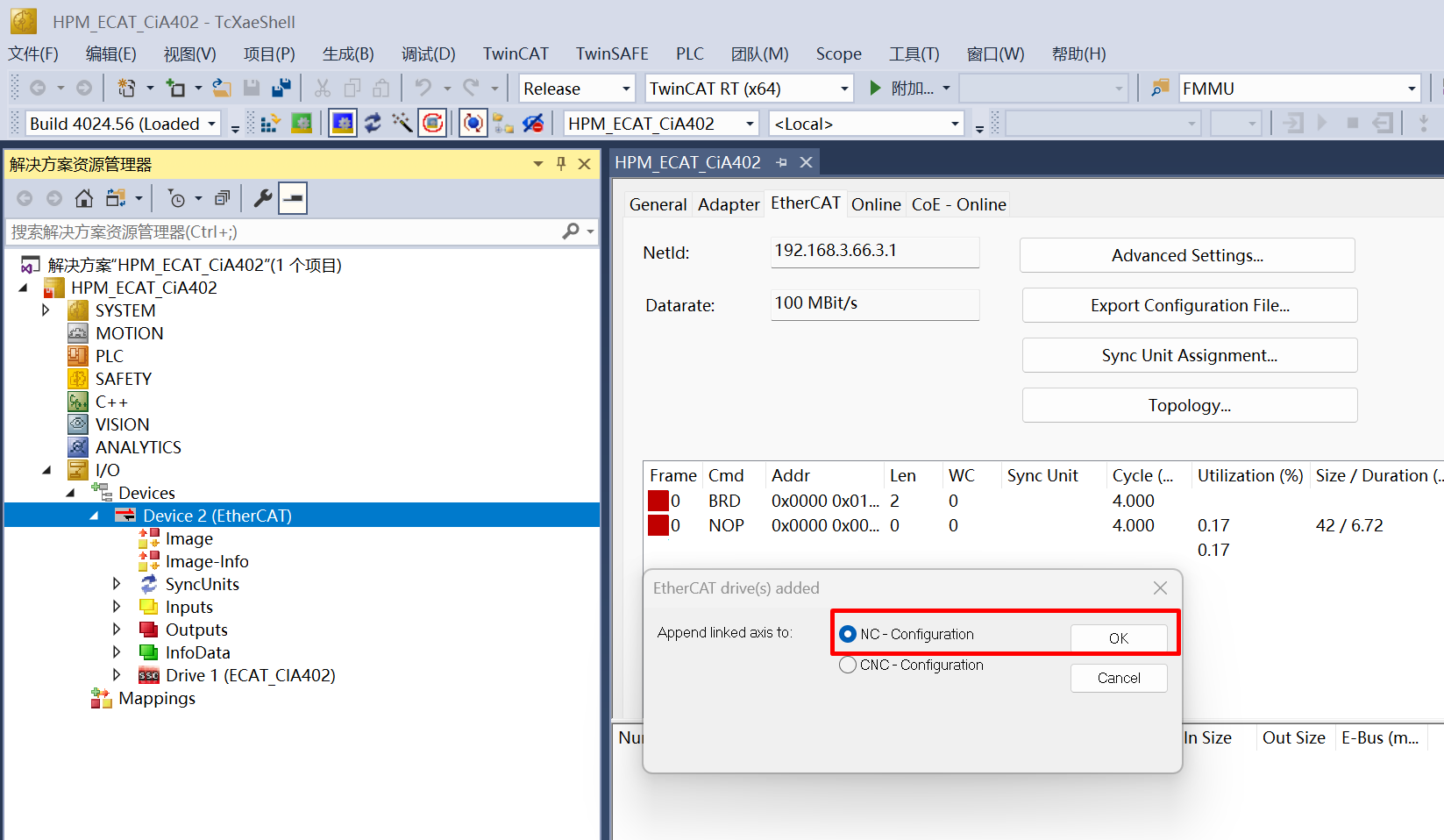
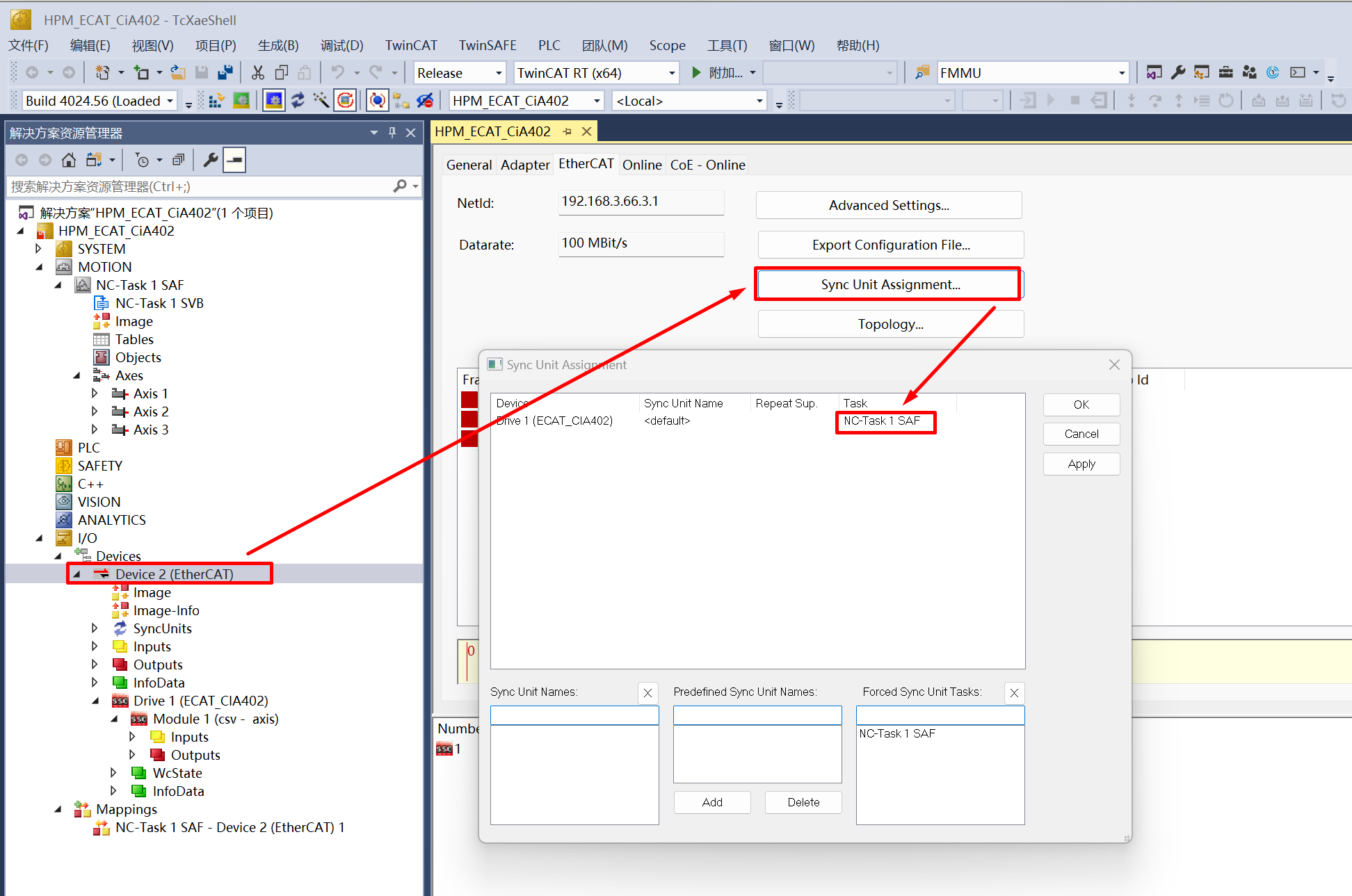
check device sync unit setting, device should sync with NC task
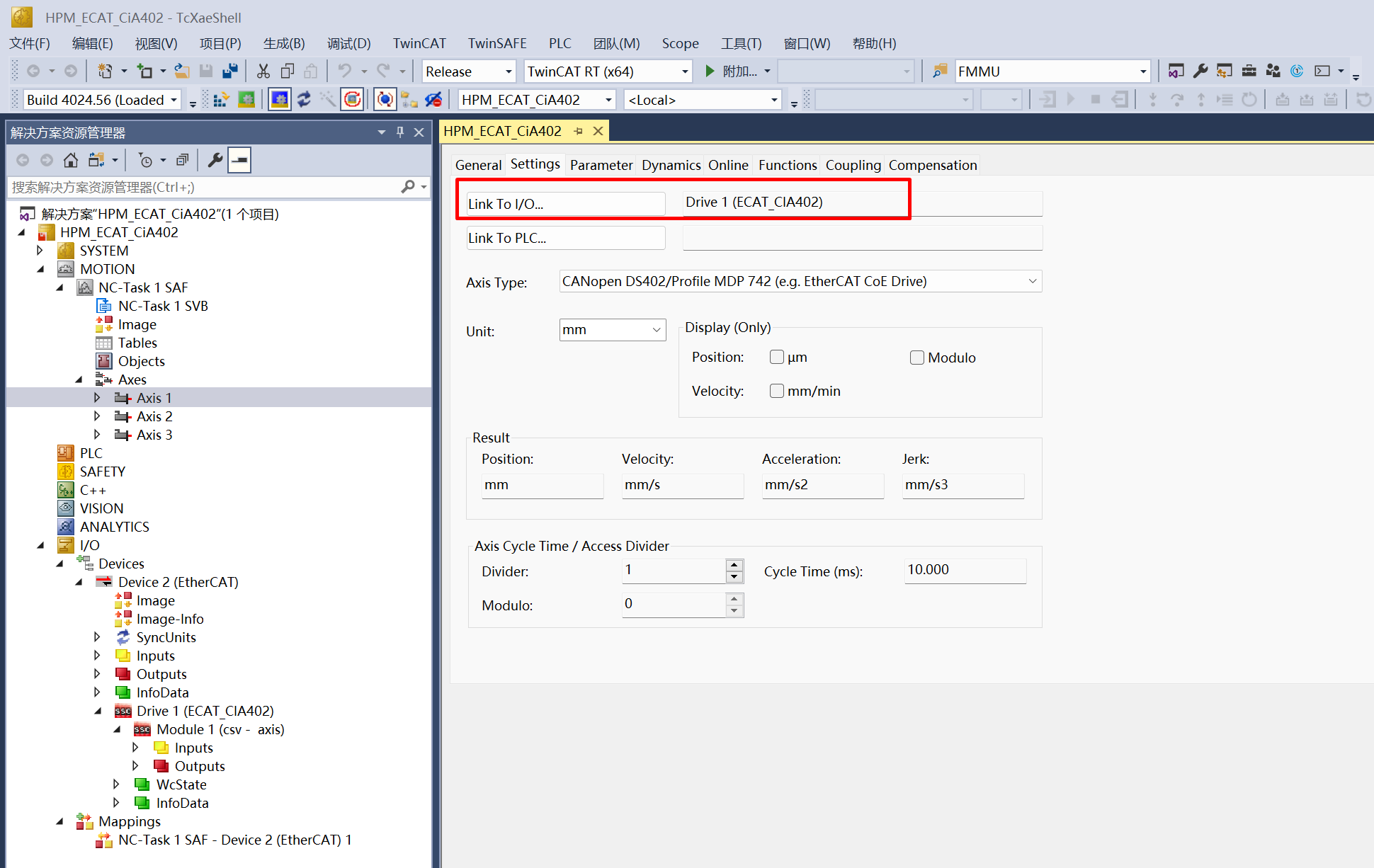
check the link relationship between NC Axis and Devie
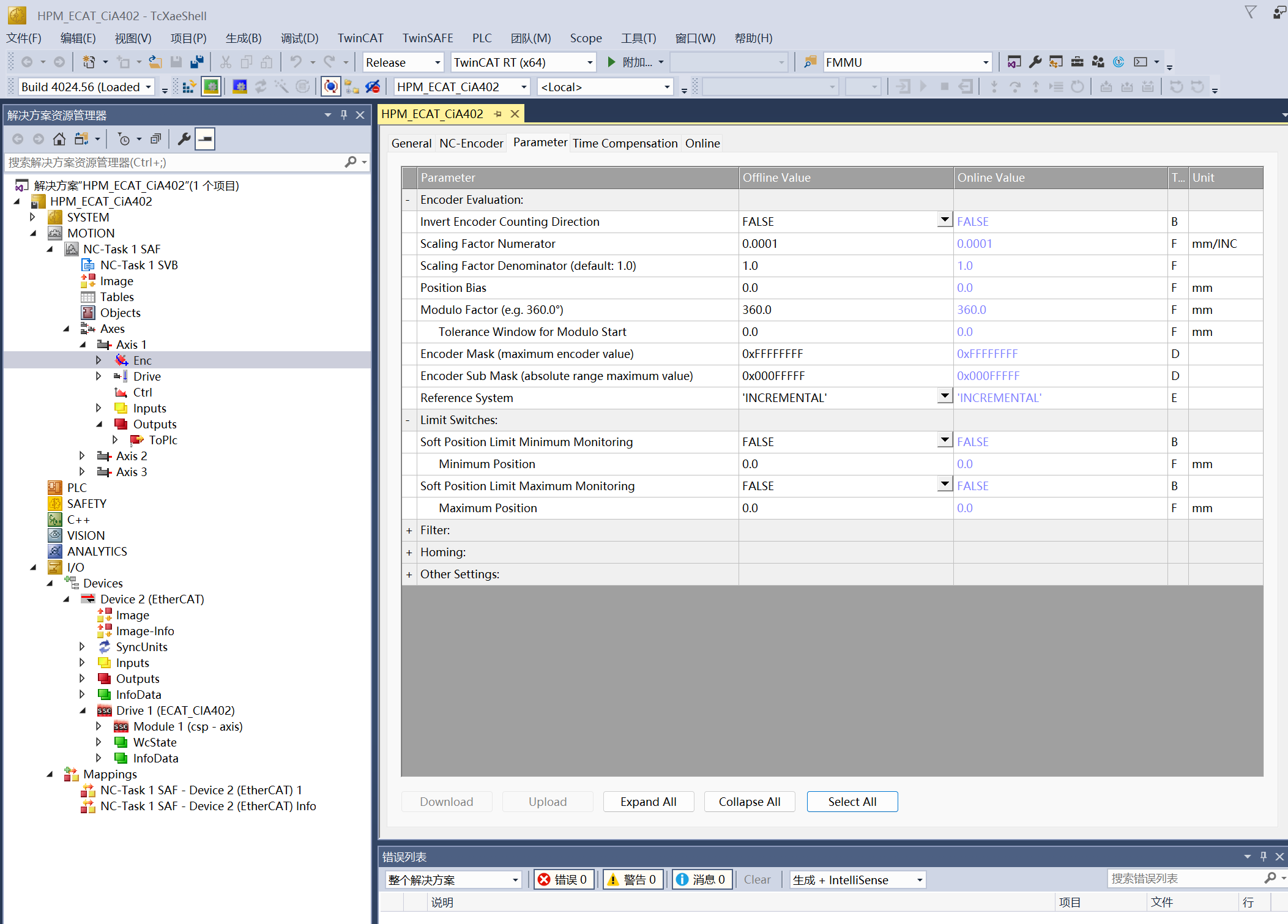
Check encoder parameter for NC Axis
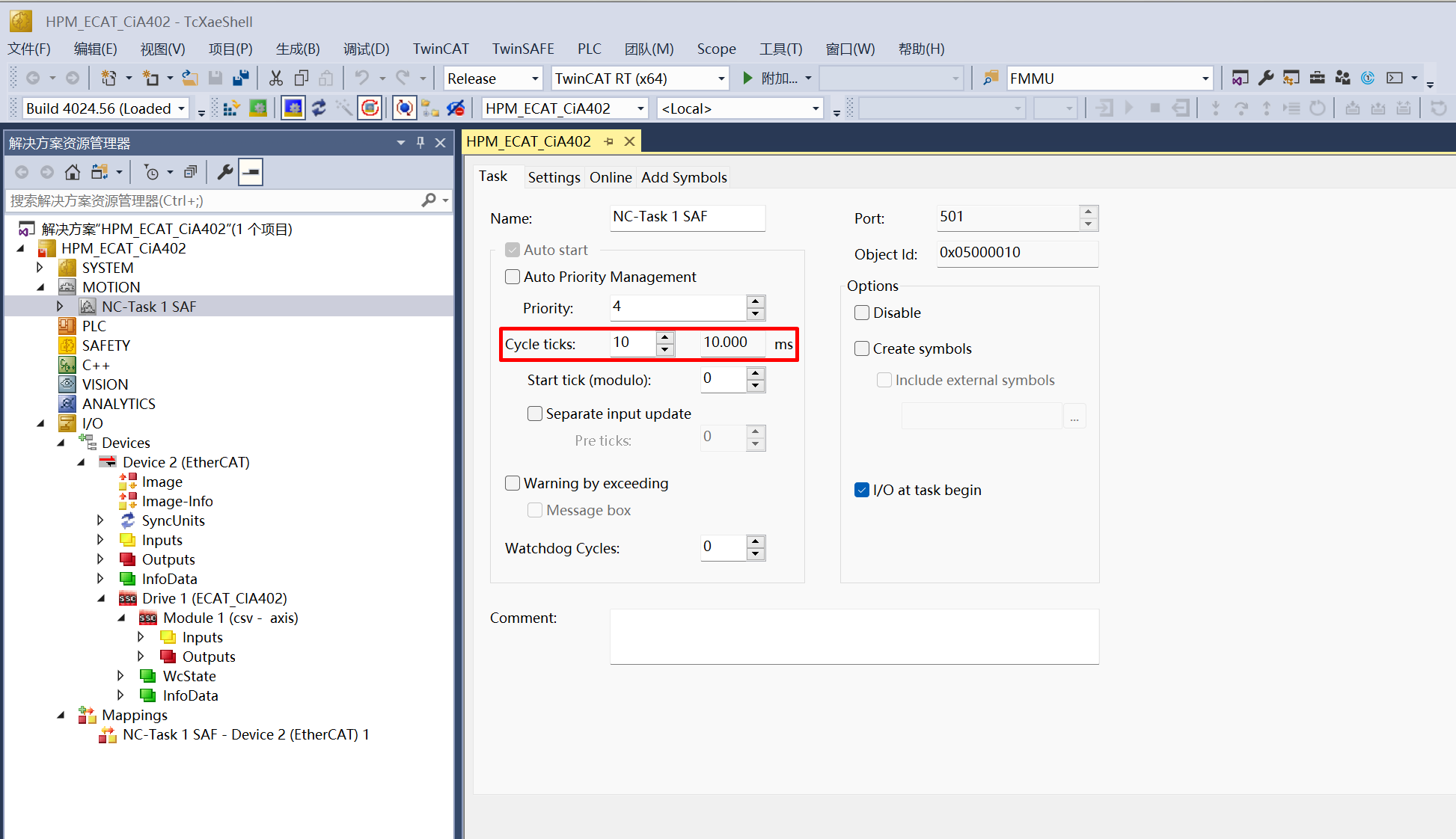
Set the NC Task cycle, and the DC cycle will be the same as this value.
A larger cycle time can be set here to avoid the “0x1a Synchronization error” caused by communication jitter due to poor real-time performance of the PC when using it as the TwinCAT master station
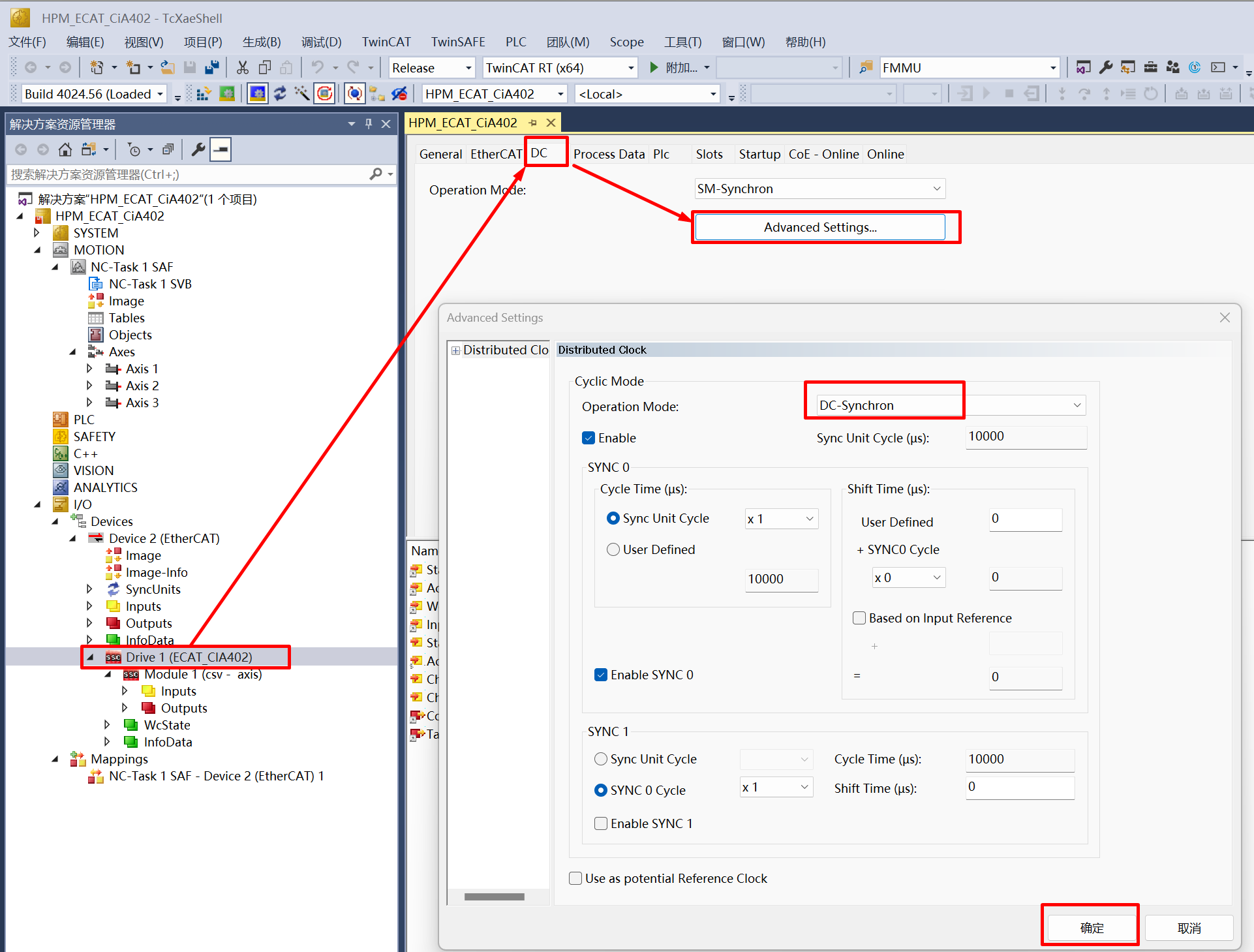
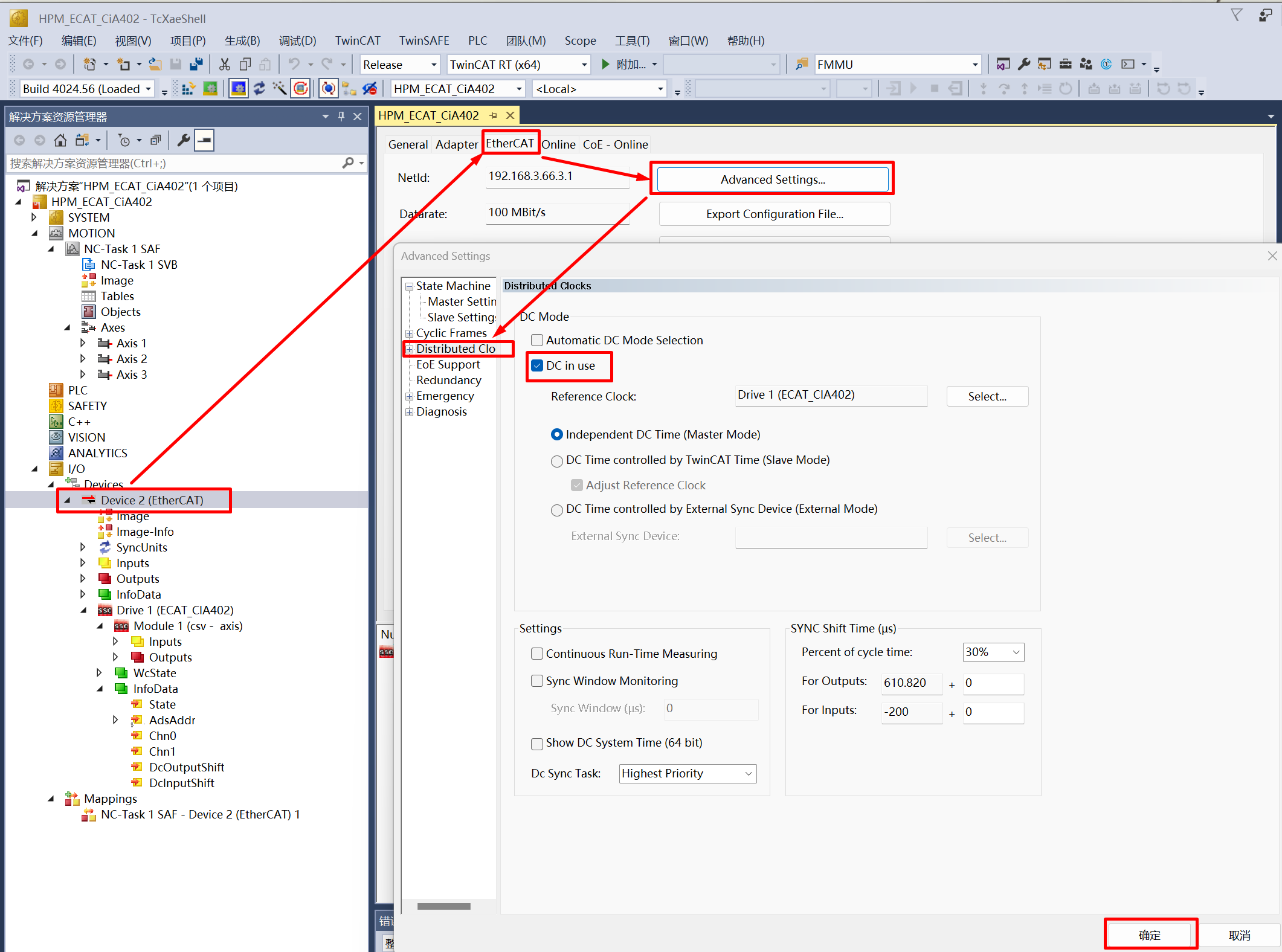
Set DC mode
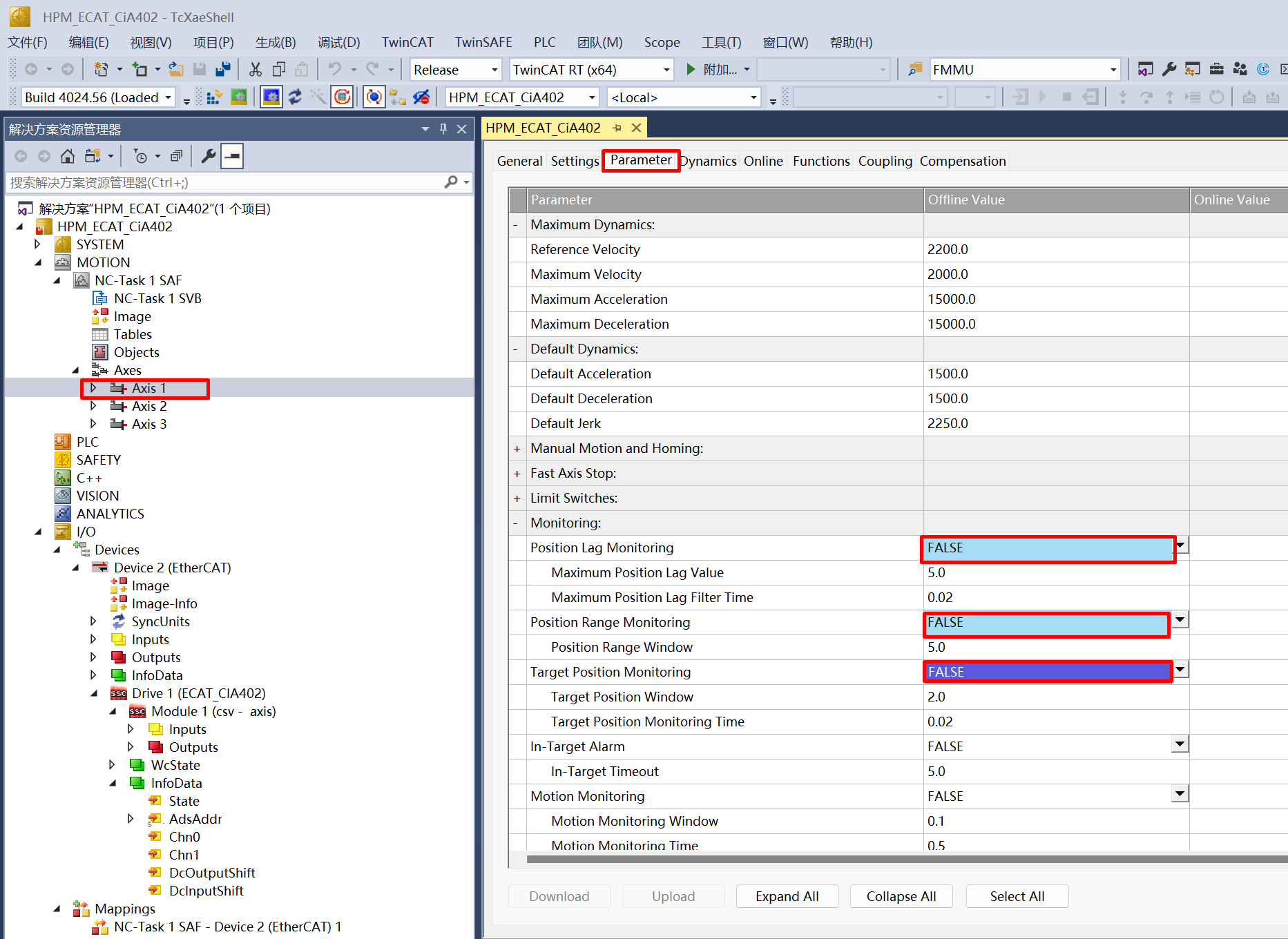
Set the NC axis parameters to disable the limit setting to avoid errors during testing operations.
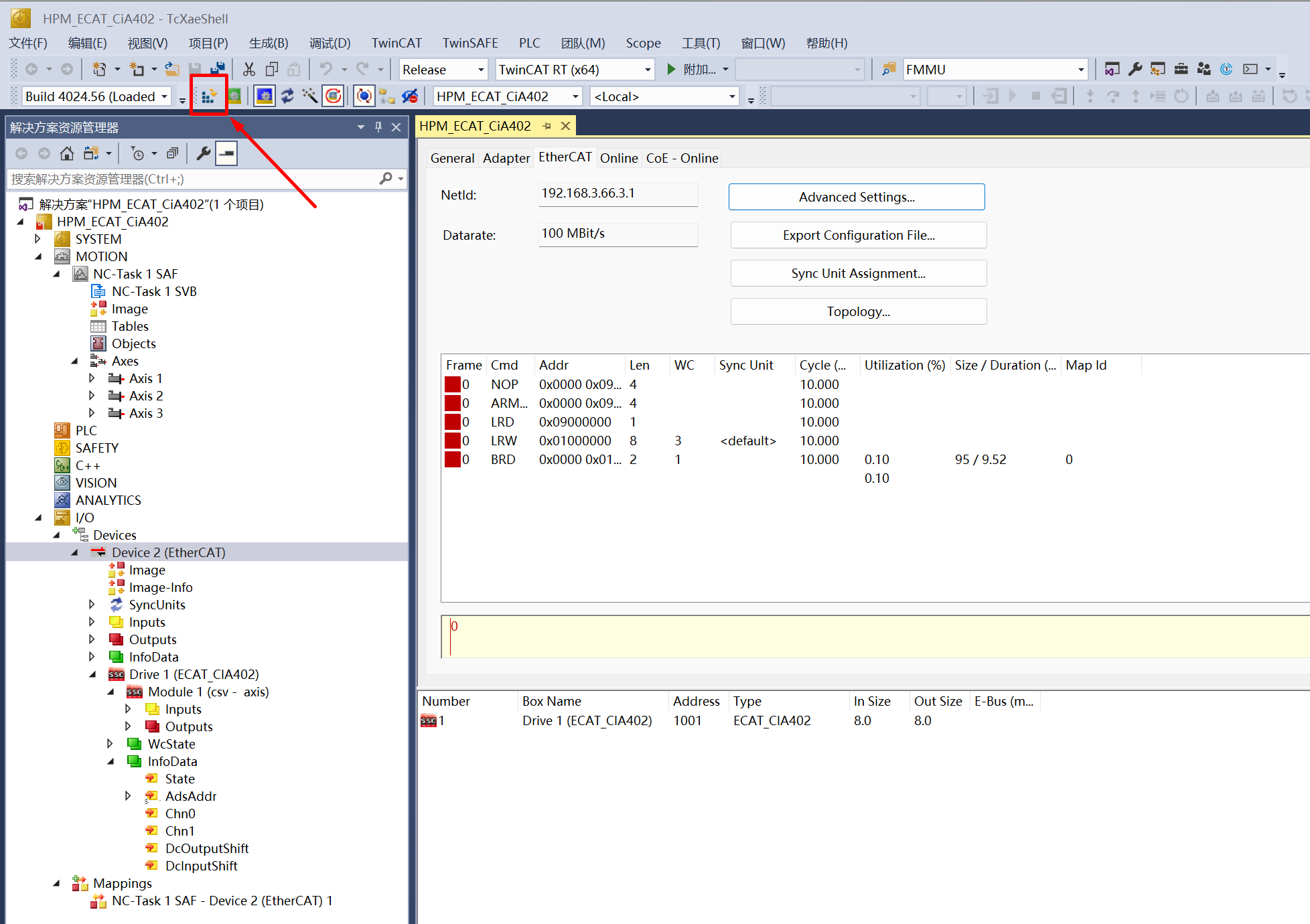
active configuration,enter Run mode
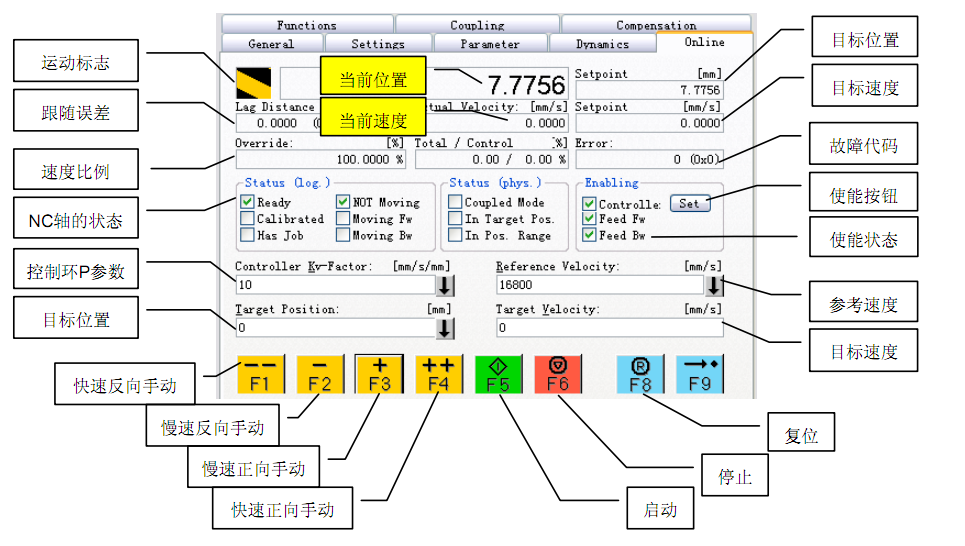
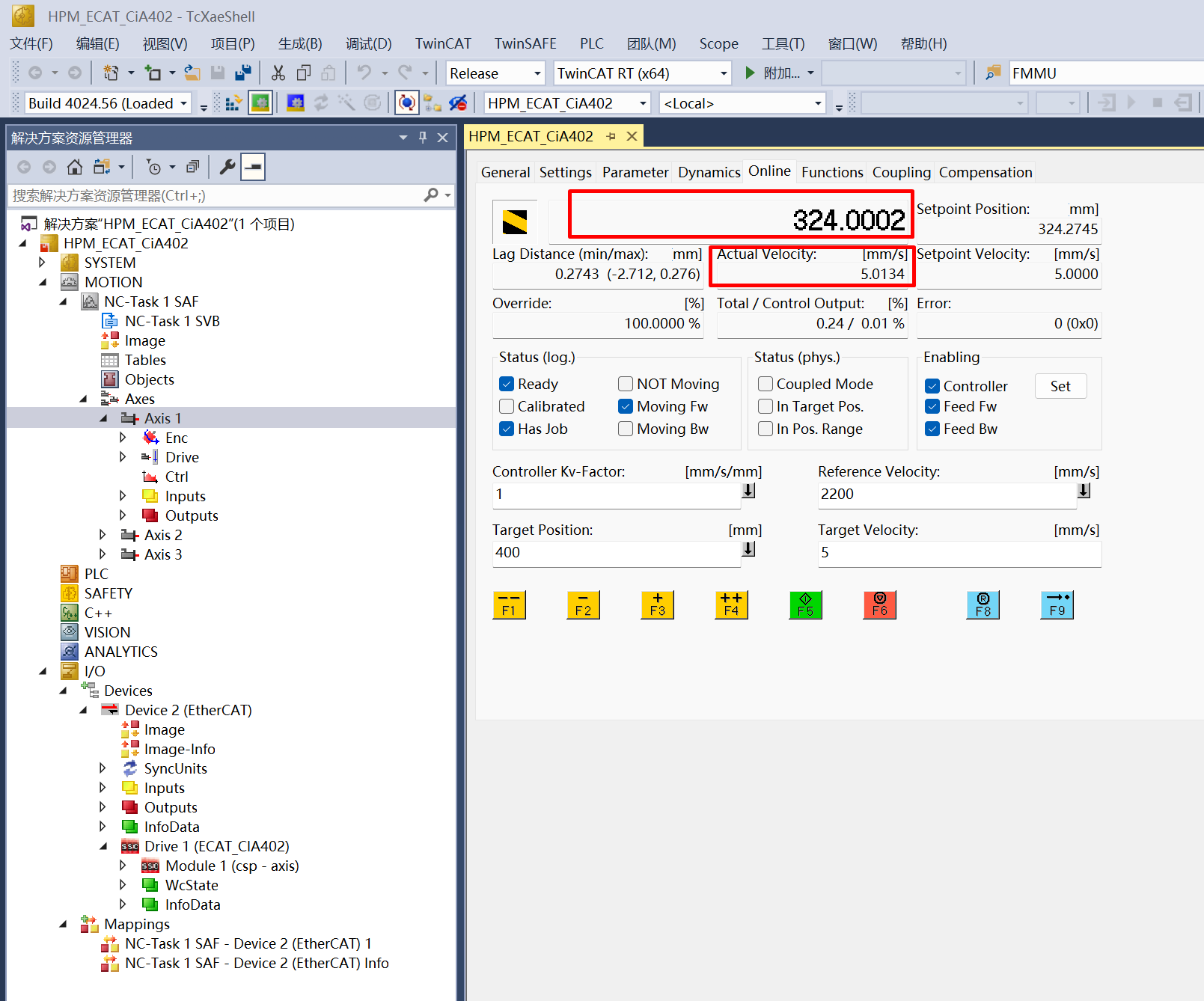
NC axis online function description
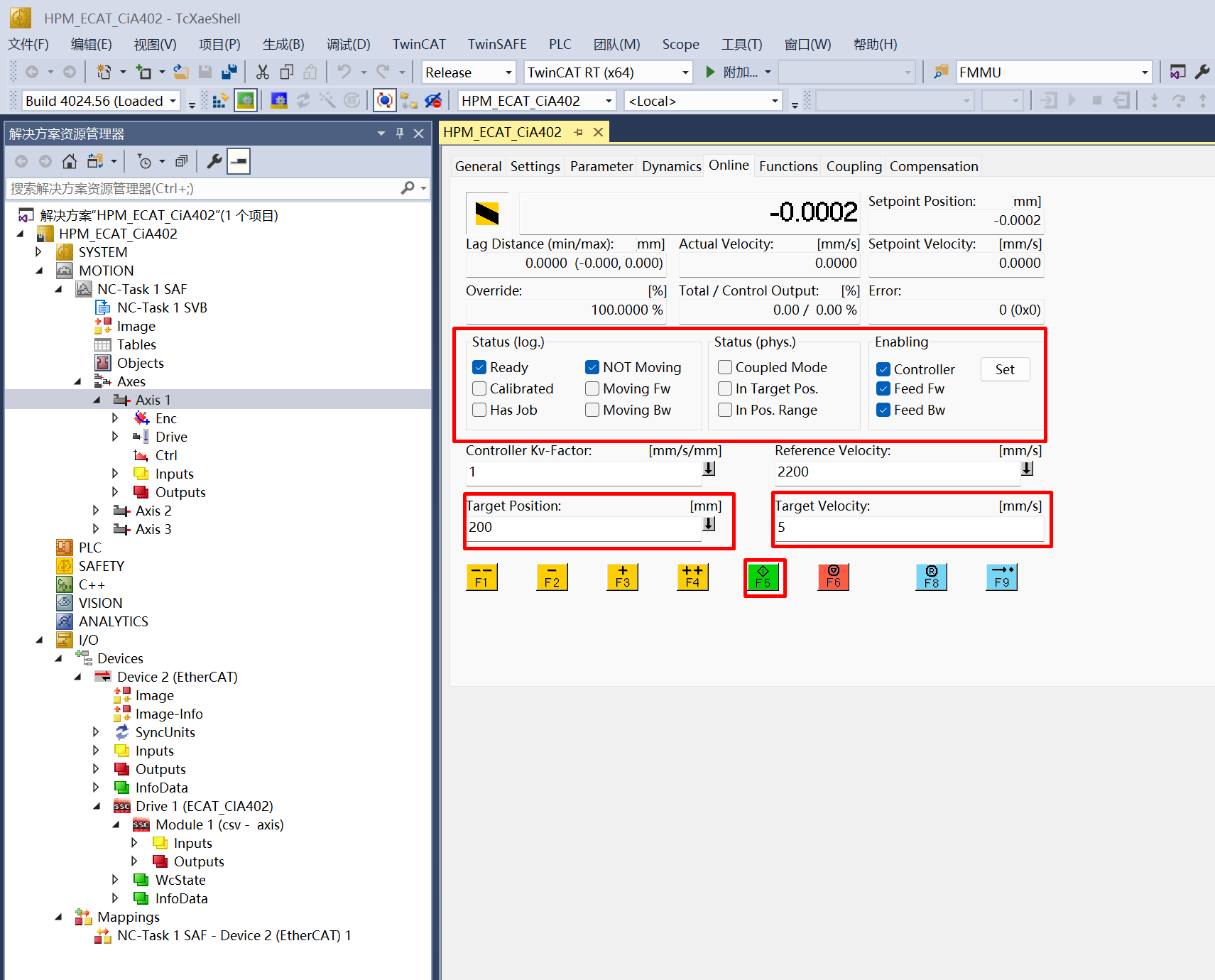
ontrol NC axis motion on csv mode
In “Enabling” option, click “Set->All”, enable the NC controller

Set the target position and speed, note that the target speed value should not exceed 7mm/s(Virtual motors have no speed limit). After setting, click “F5” to start
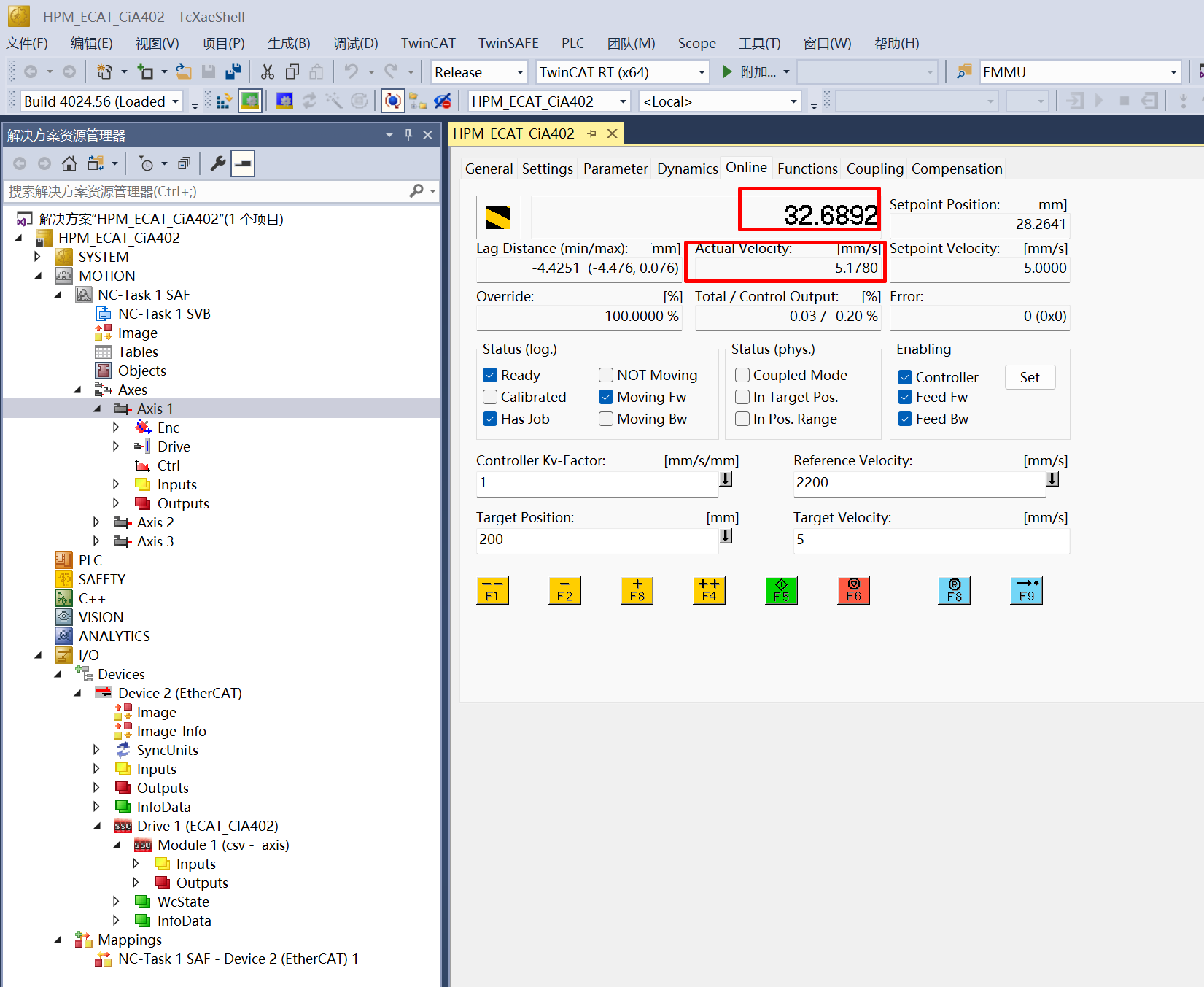
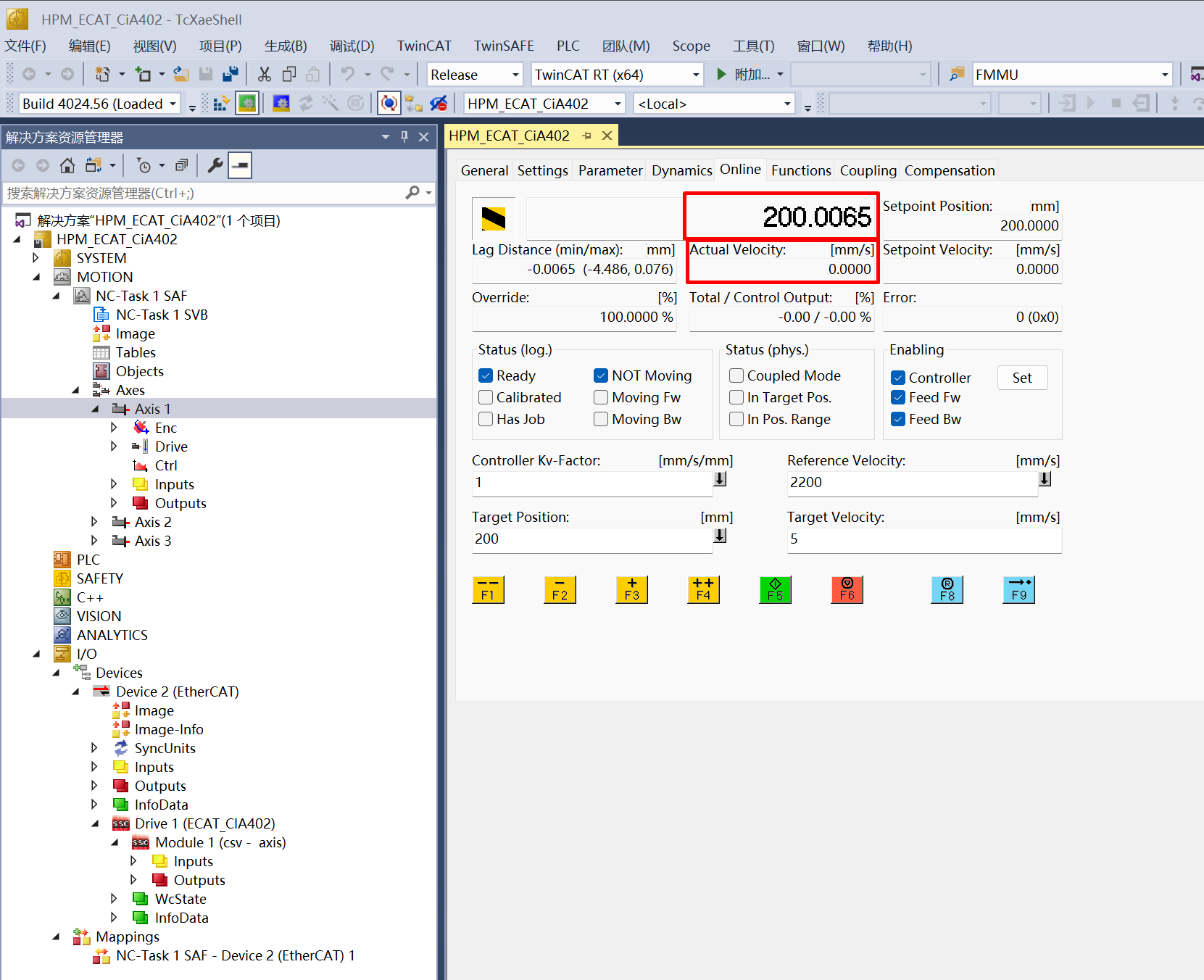
View actual postion and velocity
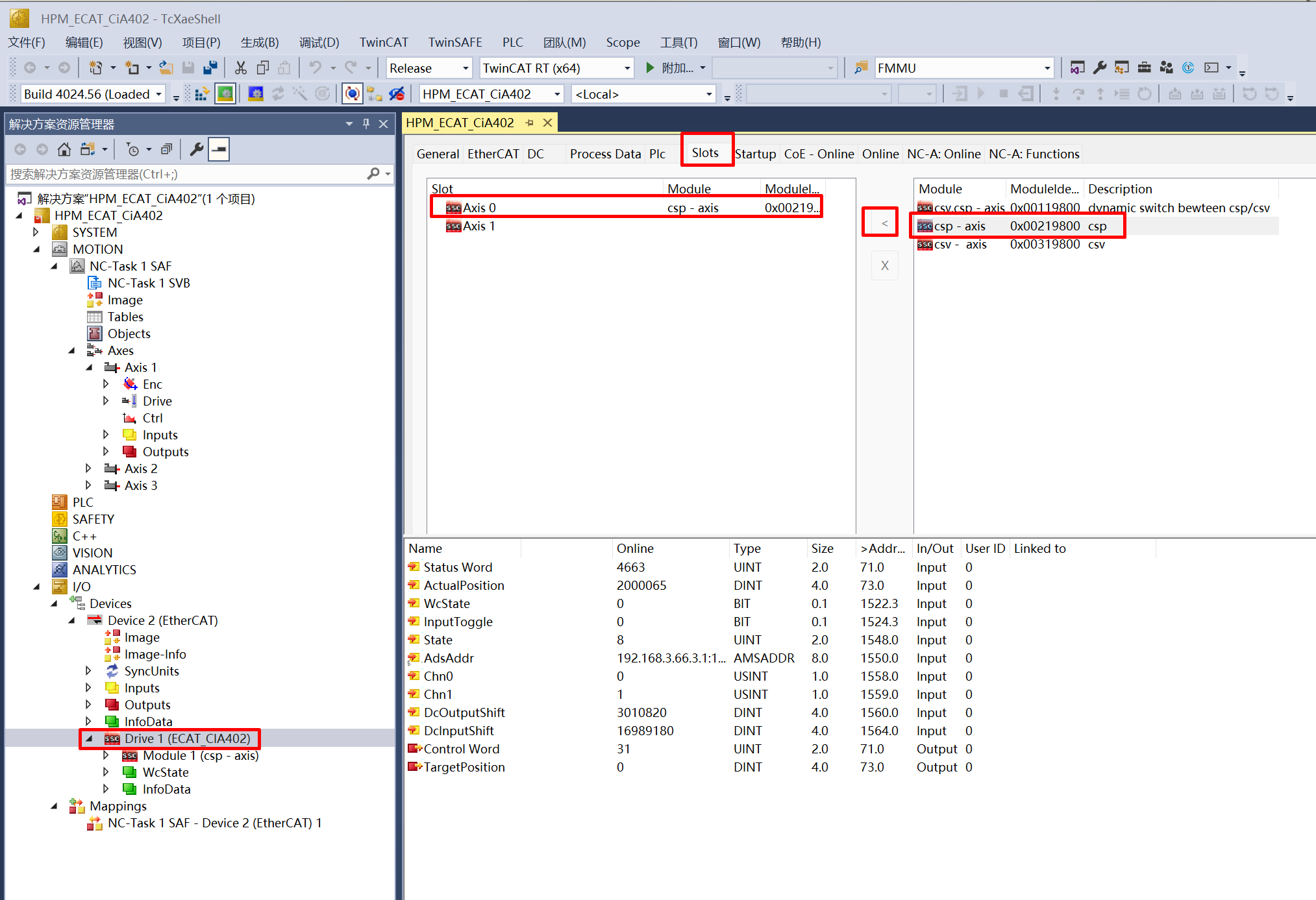
change NC axis control mode to csp
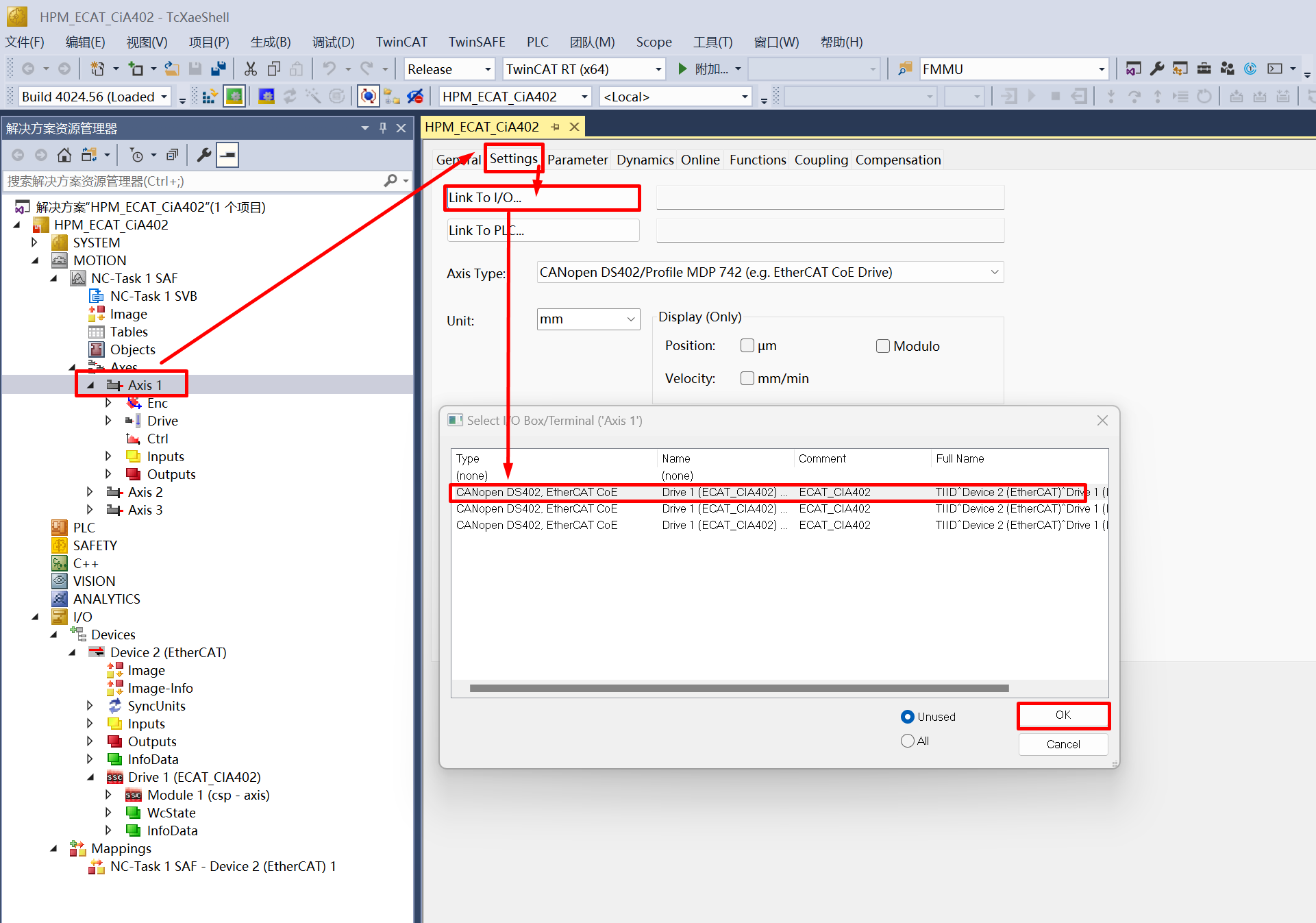
link NC Axis and Device
refer to step 8, reactivate the configuration
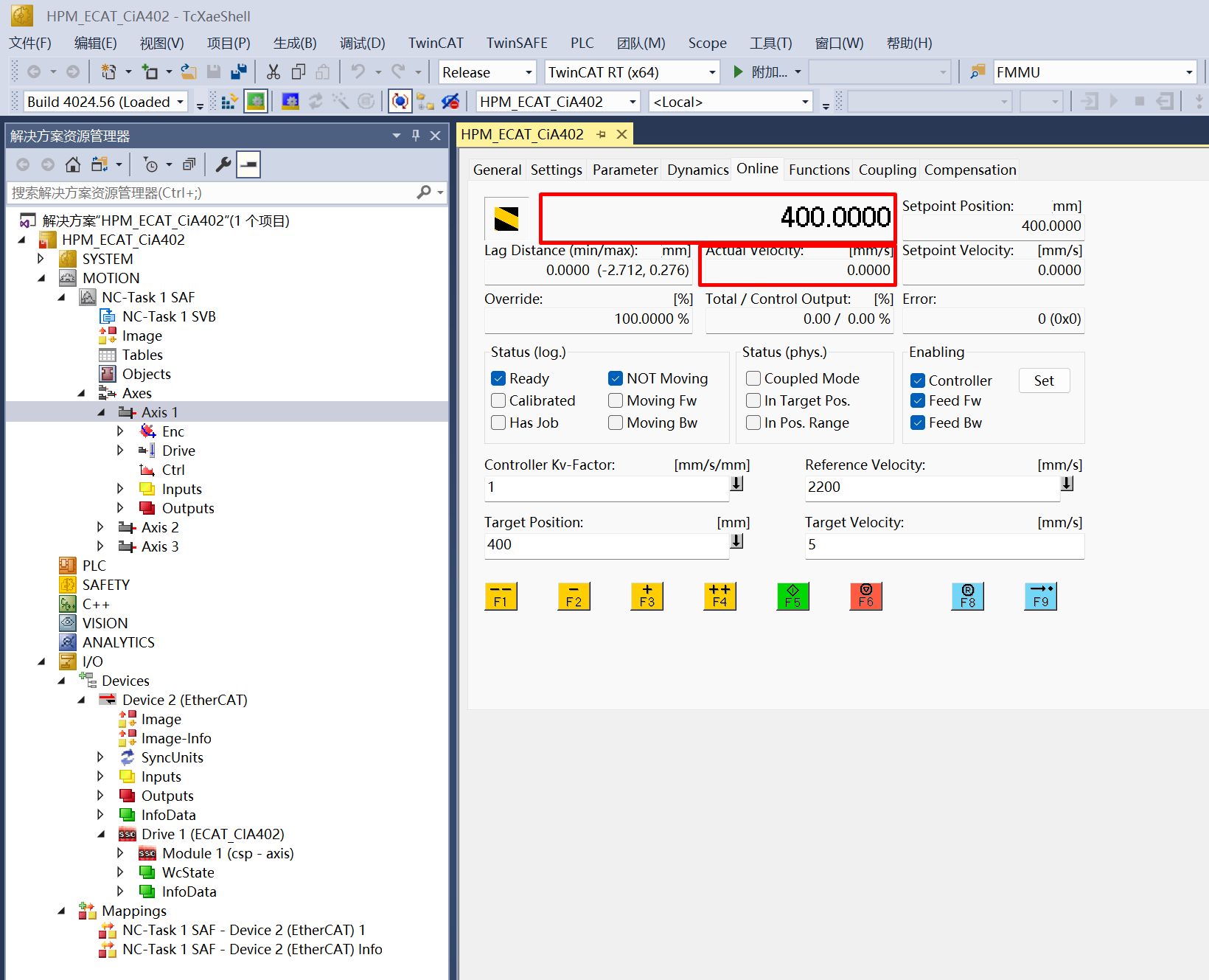
ontrol NC axis motion on csp mode
Refer to the steps 10.a to enable the controller
Set the target position and speed, note that the target speed value should not exceed 7mm/s. After setting, click “F5” to start
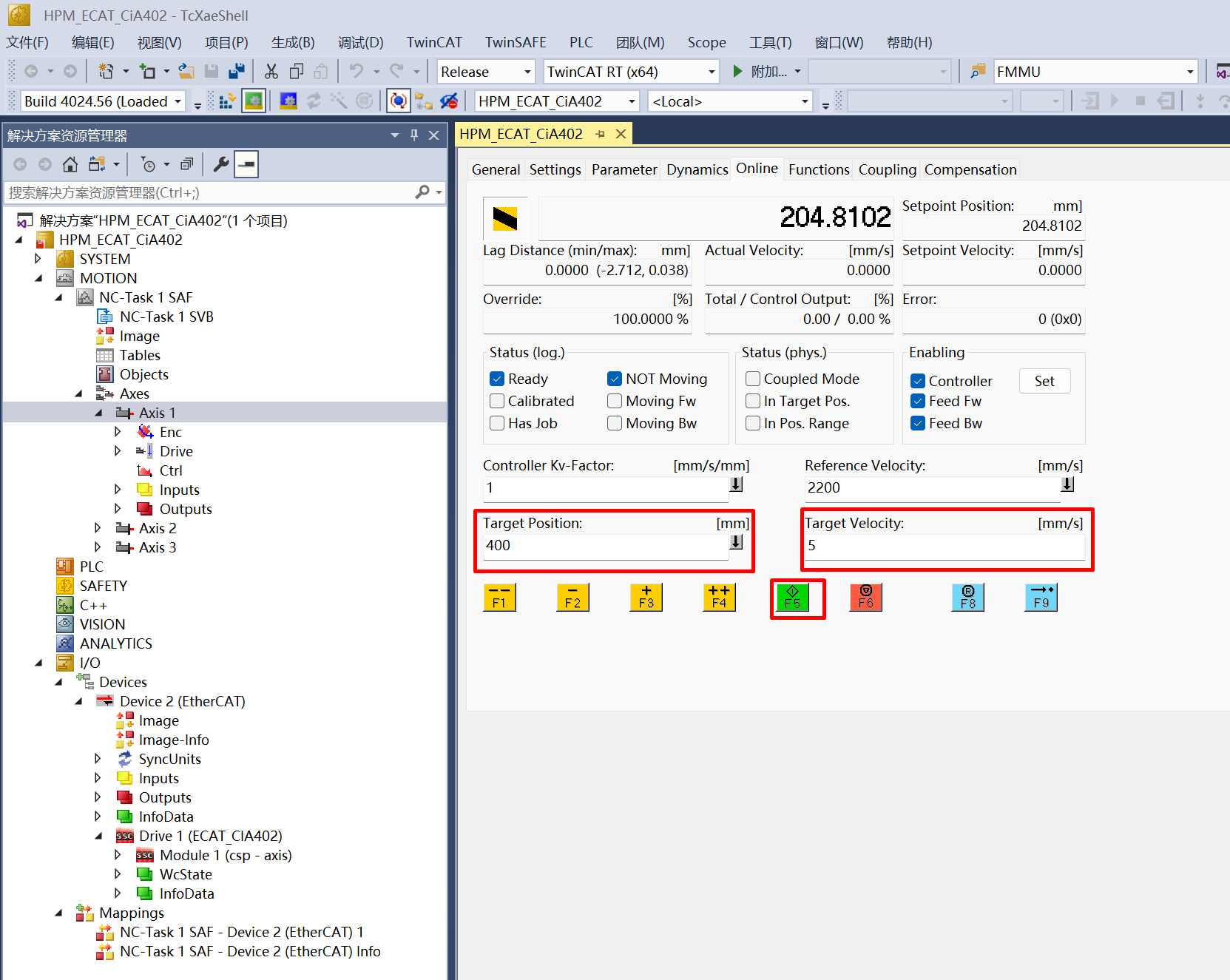
View actual postion and velocity
12.1.6. 6. Running the example
After the project is running correctly, the serial terminal will output the following information. The motor motion can be controlled through the TwinCAT NC Axis control page:
When EEPROM data needs to be initialized, the log is as follows:
EtherCAT CiA402 sample
Init EEPROM content.
Init EEPROM content successful.
EEPROM loading successful, no checksum error.
When EEPROM data does not need to be initialized, the log is as follows:
EtherCAT CiA402 sample
No need to init EEPROM content.
EEPROM loading successful, no checksum error.