7. HPM5301EVKLITE
7.1. Overview
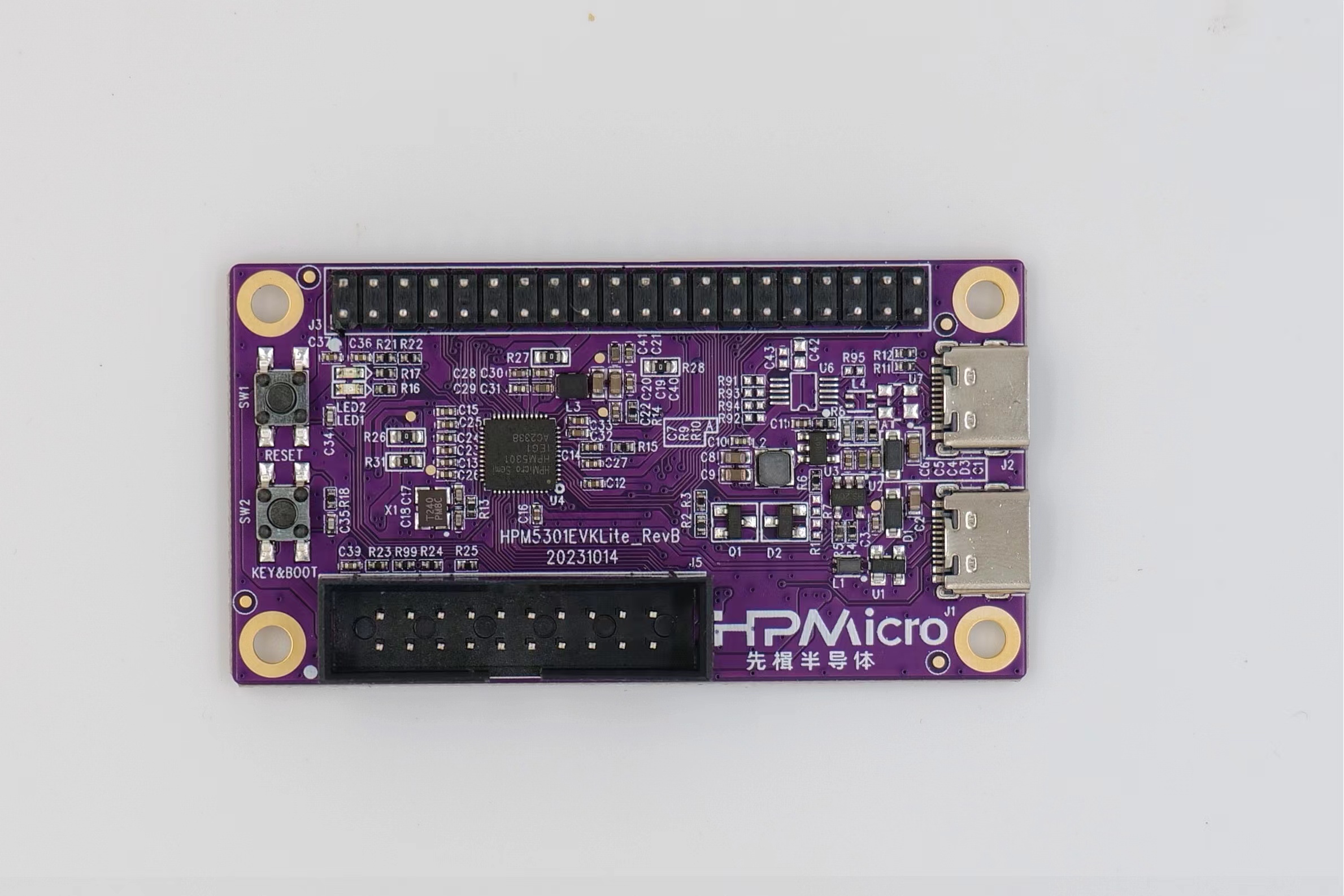
HPM5301EVKLite is a development board based on Xianji’s entry-level high-performance MCU HPM5301. HPM5301EVKLite provides a USB Type-C interface for high-speed USB-OTG functionality, with onboard buttons and LEDs for convenient user interaction. It also provides an extension interface that is compatible with Raspberry Pi and a standard JTAG debugging interface.
7.2. Console information printing
By default, UART0 is used for console printing. Connect UART0.TXD (J3.36) and UART0.RXD (J3.38) externally through the USB to serial port tool.
7.3. Boot Switch
KEY&BOOT controls boot mode
Note:
The default working mode is flash boot mode.
Follow the below steps to enter ISP boot mode:
press reset
press key
release reset
release key
KEY |
Description |
|---|---|
OFF |
Boot from Quad SPI NOR flash |
ON |
ISP |
7.5. Pin Description
UART Pin: modbus_rtu sample
The UART0 used for debugger console or some functional testing using UART
The UART3 is used for some functional testing using UART, such as MICROROS_UART, USB_CDC_ACM_UART, MODBUS_RTU etc.
Function |
Position |
Remark |
|---|---|---|
UART3.TXD |
J3[8] |
|
UART3.RXD |
J3[10] |
|
UART0.TXD |
J3[36] |
|
UART0.RXD |
J3[38] |
|
UART3.break |
J3[24] |
generate uart break signal |
SPI Pin:
Function |
Position |
|---|---|
SPI1.CSN |
J3[24] |
SPI1.SCLK |
J3[23] |
SPI1.MISO |
J3[21] |
SPI1.MOSI |
J3[19] |
I2C Pin:
Function |
Position |
|---|---|
I2C2.SCL |
J3[5] |
I2C2.SDA |
J3[3] |
ACMP Pin:
Function |
Position |
|---|---|
ACMP.CMP1.INN4 |
J3[13] |
ACMP.COMP_1 |
J3[3] |
ADC16 Pin:
Function |
Position |
|---|---|
ADC0.INA2 |
J3[26] |
ADC1.INA1 |
J3[3] |
TinyUF2 Pin :
Note:
PA9 connect GND, and press reset, board enter DFU mode, then PA9 connect 3.3V, drag app to U disk, will download app and enter app directly if successfully;
PA9 connect 3.3V,and press reset, board enter bootloader mode, if flash has the valid app, will directly enter app;
功能 |
位置 |
|---|---|
TinyUF2 Button |
J3[32] |
GPTMR Pin:
Function |
Position |
Remark |
|---|---|---|
GPTMR0.CAPT_1 |
J3[32] |
|
GPTMR0.COMP_1 |
J5[3] |
Please disconnect debug probe when this pin is used as GPTMR, since its default function is JTAG TRST. |
GPTMR0.COMP_3 |
J3[8] |
BCLK of i2s emulation |
GPTMR0.COMP_2 |
J3[26] |
LRCK of i2s emulation |
GPTMR1.COMP_3 |
J3[28] |
MLCK of i2s emulation |
CS Pin of i2s emulation
Function |
Position |
Remark |
|---|---|---|
PA31 |
J3[11] |
the pin that controls the SPI slave CS |