36.2. ECAT_FOE
36.2.1. 1. Overview
The ECAT_FOE example demonstrates the functionality of ECAT FOE to write and read slave files.
Using ECAT FOE to update firmware, please refer to the OTA sample in hpm_apps repo.
hpm_apps repo: github: https://github.com/hpmicro/hpm_apps gitee: https://gitee.com/hpmicro/hpm_apps
36.2.2. 2. Prepare
Please refer to the README of ECAT_IO sample Software tool version: SSC Tool (SSC Version: 5.13.1; Config File Vers: 1.5.3.0)
36.2.3. 3. Project Setting
Please refer to the README of ECAT_IO sample
Note: When using FLASH to simulate EEPROM, please allocate appropriate flash space for FLASH-EEPROM content to avoid conflicts with other flash contents
36.2.4. 4. Generate EtherCAT slave stack code
Due to licensing issues, HPMSDK does not provide EtherCAT slave protocol stack code (SSC). Users have download the SSC Tool from Beckoff’s official website and generate the slave stack code according to the steps.
36.2.4.1. 4.1. Download SSC Tool
Please refer to the README of ECAT_IO sample
36.2.4.2. 4.2 SSC Tool import configuration files
configuration file path: <hpm_sdk>/samples/ethercat/ecat_foe/SSC/Config/HPM_ECAT_FOE_Config.xml
36.2.4.3. 4.3 SSC Tool create slave stack
Create new project based on specifed configuration
Import application file: <hpm_sdk>/samples/ethercat/ecat_foe/SSC/foe.xlsx
Specify the output path and generate slave stack code
36.2.5. 5. TwinCAT Project setting
Please refer to the README of ECAT_IO sample
36.2.5.1. 5.1. Add ESI file
Copy the generated ESI xml by SSC tool in previous steps to TwinCAT(C:\TwinCAT\3.1\Config\Io\EtherCAT).
36.2.5.2. 5.2 Create Project
Please refer to the README of ECAT_IO sample
36.2.5.3. 5.3 Software Configuration
Please refer to the README of ECAT_IO sample
36.2.5.4. 5.4 Scan device
Please refer to the README of ECAT_IO sample
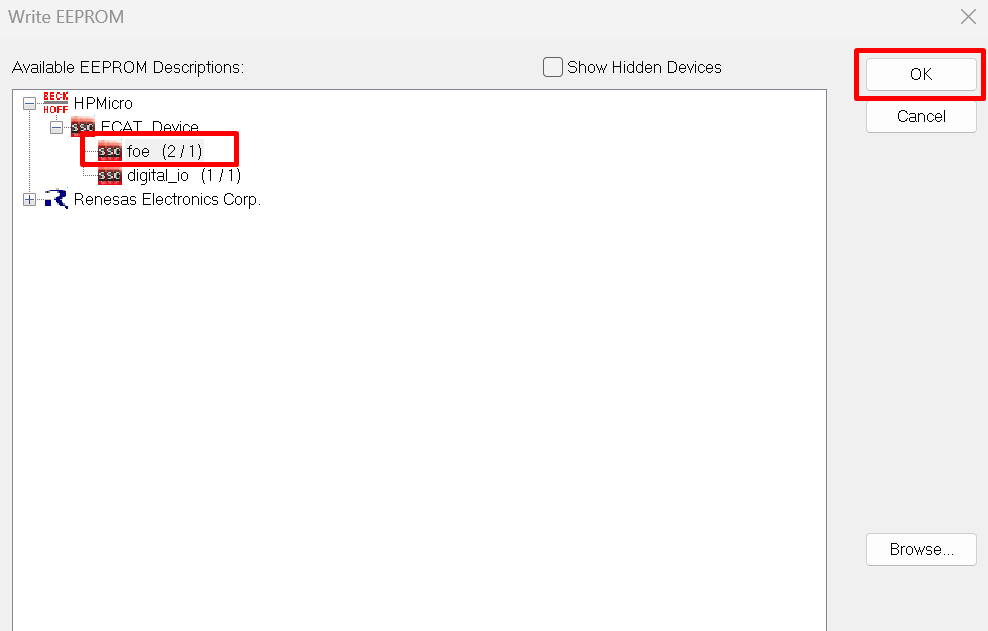
36.2.5.5. 5.5 Update EEPROM context
select foe
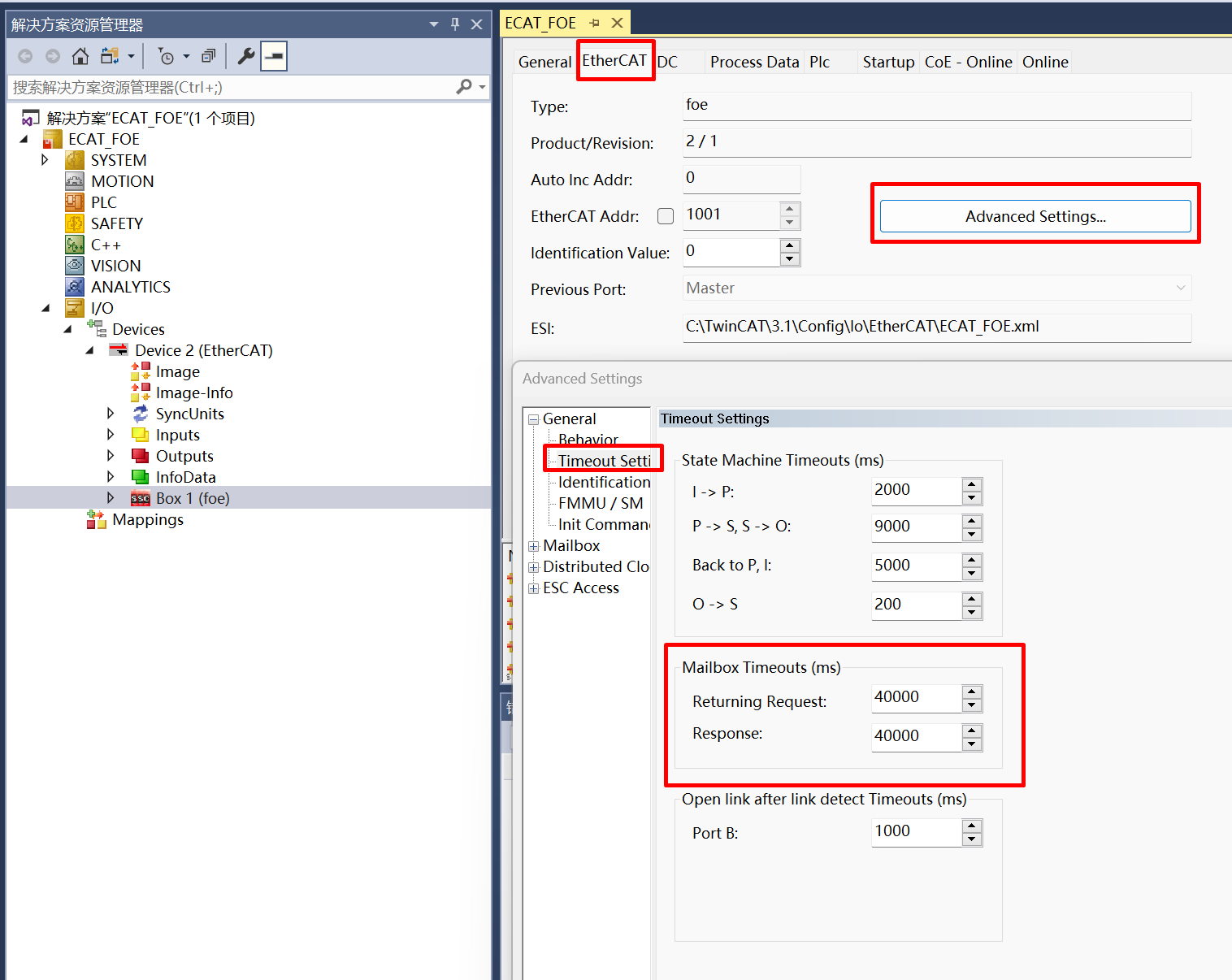
36.2.5.6. 5.6 FOE action
Set MailBox timeout time (when the file is large, the timeout time needs to be adjusted)
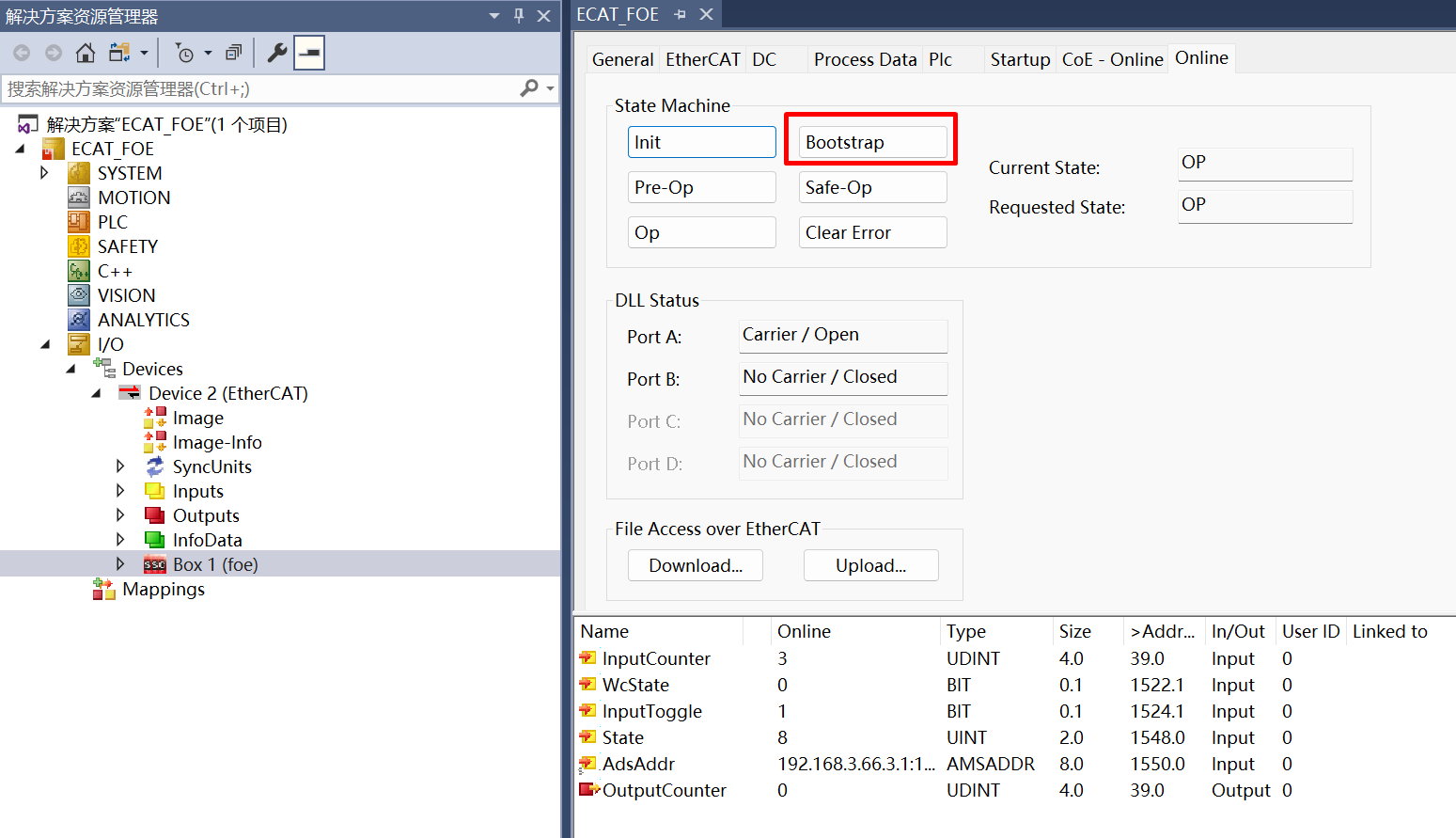
Enter Bootstrap mode
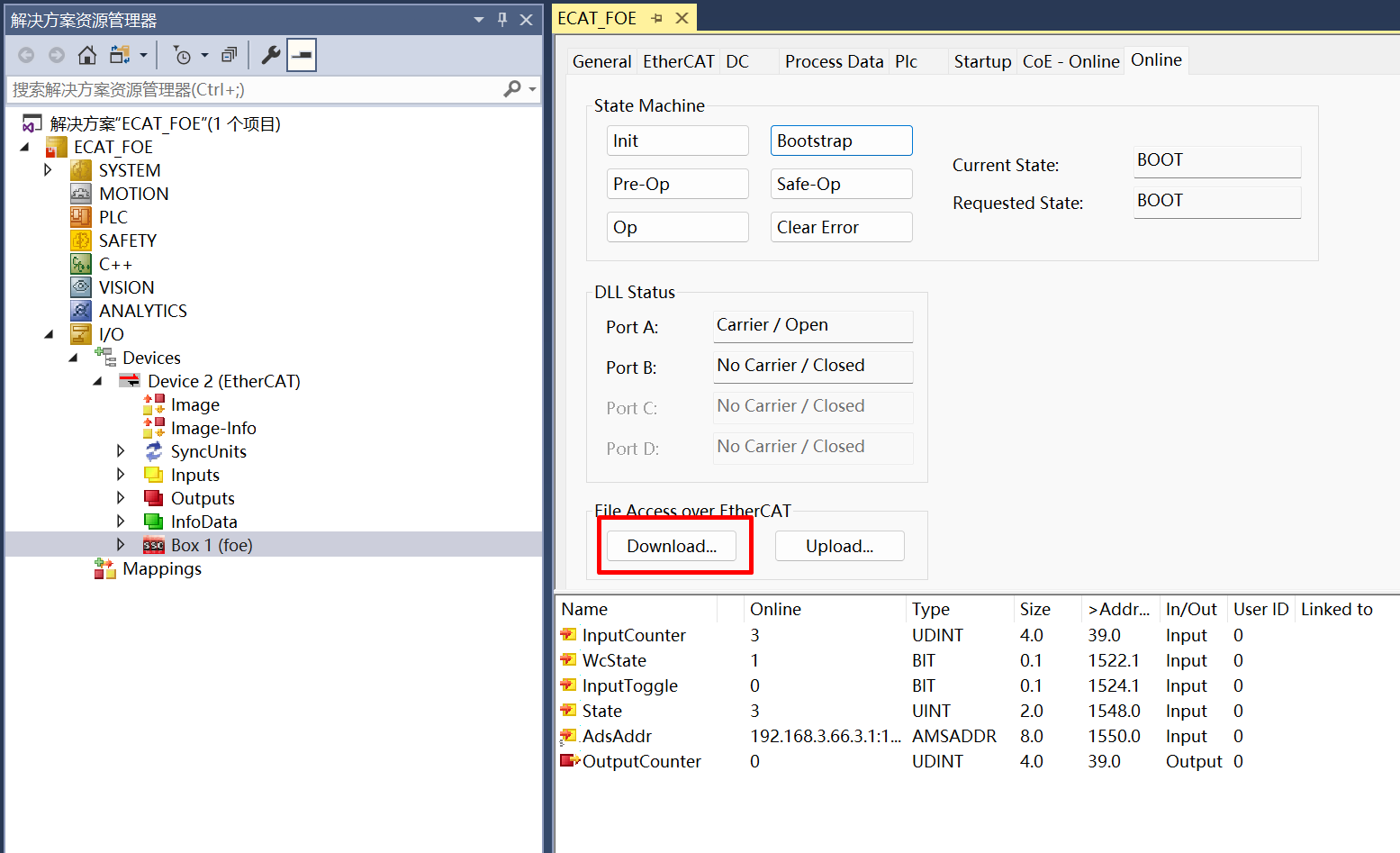
Download file click ‘Download’
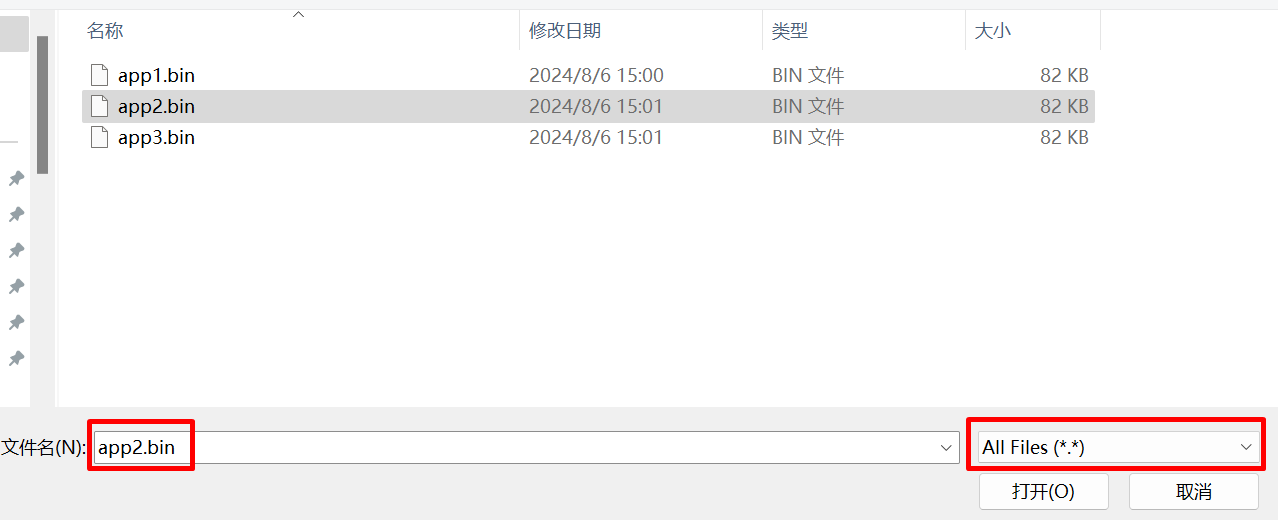
 select file to download
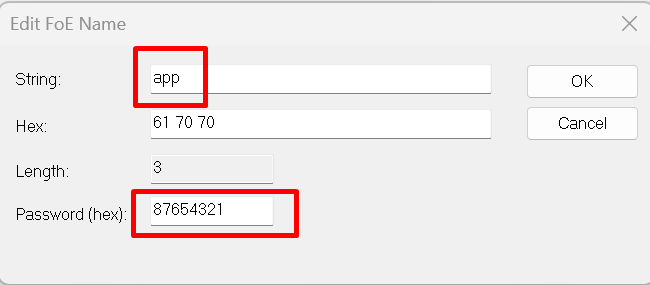
 edit file name and password, file name:app; pass word:87654321.
 waiting for completion of writing
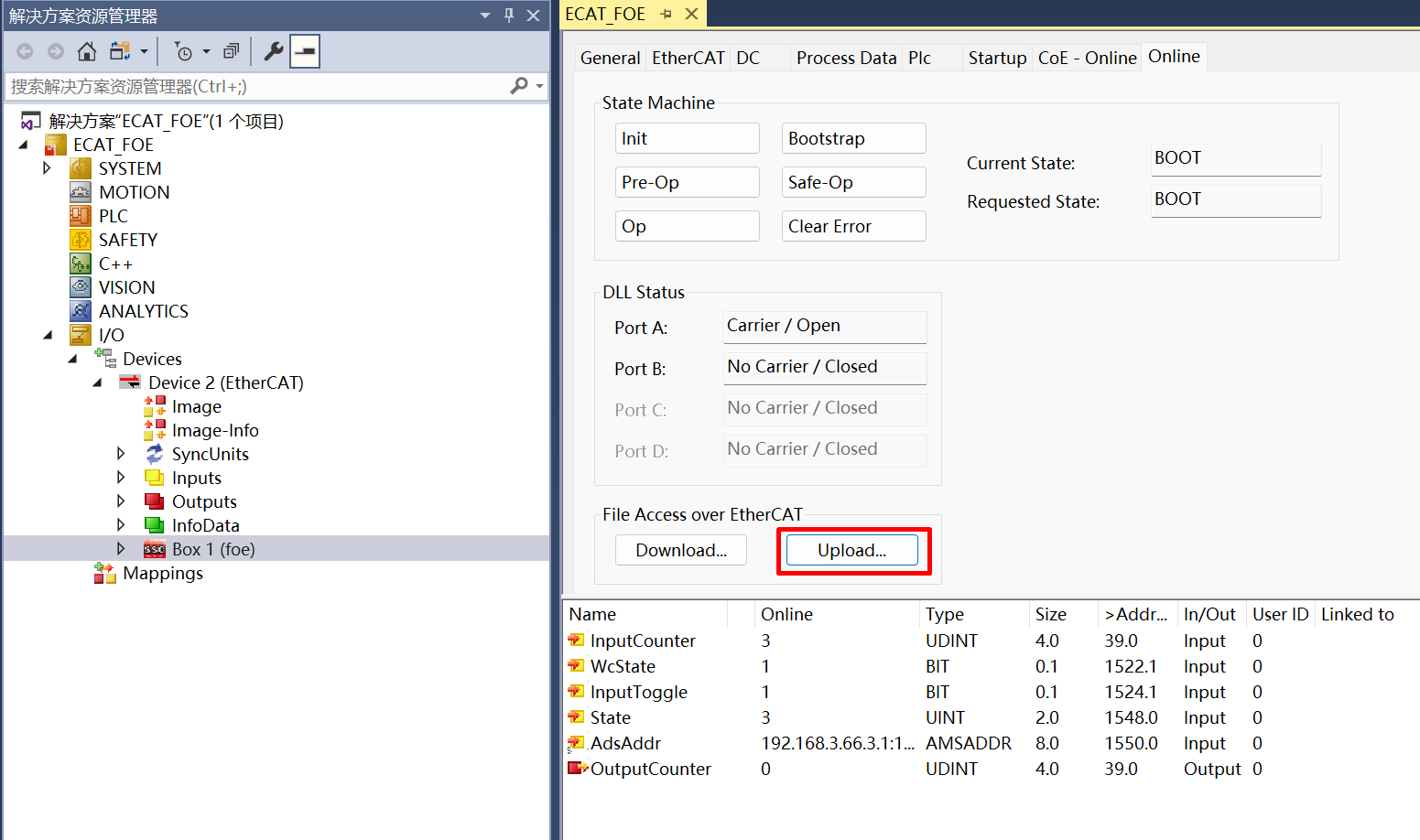
Enter Bootstrap mode,uploade file click ‘Uplaod’
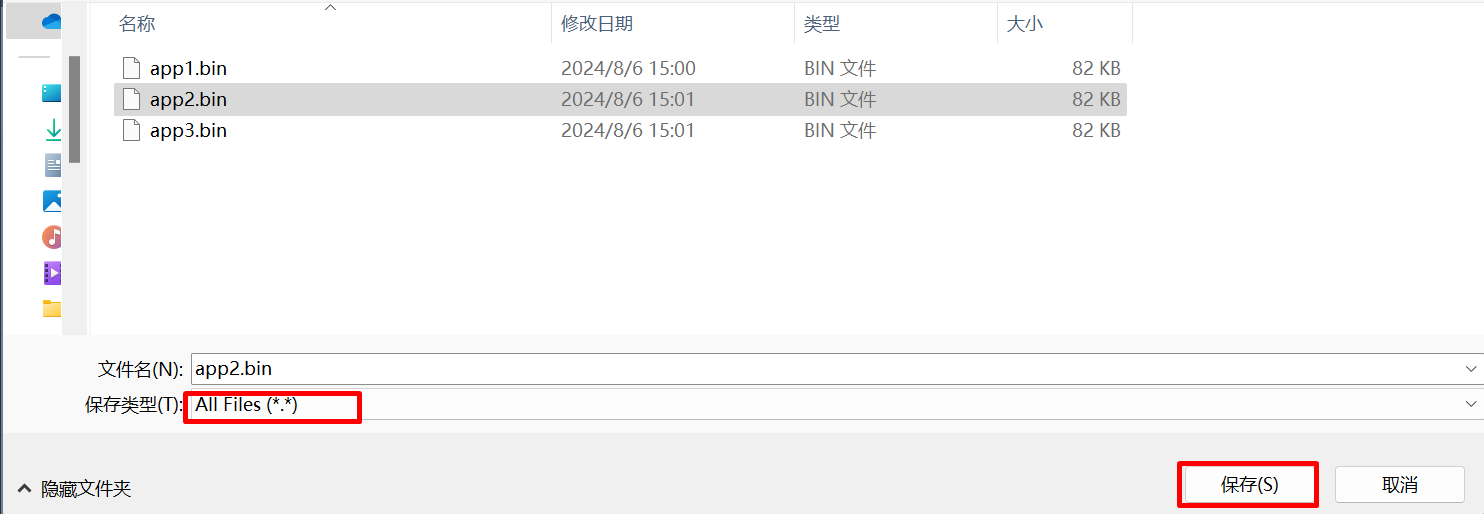
 select file name and path
 edit file name and password, file name:app; pass word:87654321.
waiting for completion of reading
edit file name and password, file name:app; pass word:87654321.
waiting for completion of readingquit Bootstrap mode
36.2.6. 6. Running the example
After the project is running correctly: When the EEPROM is not initialized, the following message is output indicating the need to initialize the contents of the EEPROM.
EtherCAT FOE sample
Write or Read file from flash by FOE
EEPROM loading with checksum error.
EtherCAT communication is possible even if the EEPROM is blank(checksum error),
but PDI not operational, please update eeprom  context.
After the EEPROM is properly initialized, the following information is output, which can be used for file write and read operations in Twincat, comparing the written and read files to ensure consistency.
EtherCAT IO sample
Write or Read file from flash by FOE
EEPROM loading successful, no checksum error.
Write file start
Write file finish
Read file start
Read file finish