5.33. WebUSB Serial
5.33.1. Overview
This example project shows WebUSB Serial device.
In this example, the USB device has 3 interfaces, 2 of which are used for CDC Class Device and 1 of which is used for Vendor Class. They together form the WebUSB Serial device.
5.33.2. Board Setting
Connect a USB port on PC to the PWR DEBUG port on the development board with a USB Type-C cable
Connect a USB port on PC to one of USB port on the development board with a USB Type-C cable
5.33.3. Running the example
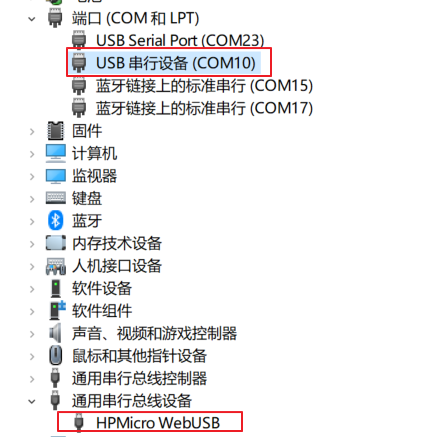
Download the program to the development board to run, the computer can automatically recognize and install drivers, and the device manager can view a COM device and a HPMicro WebUSB device.
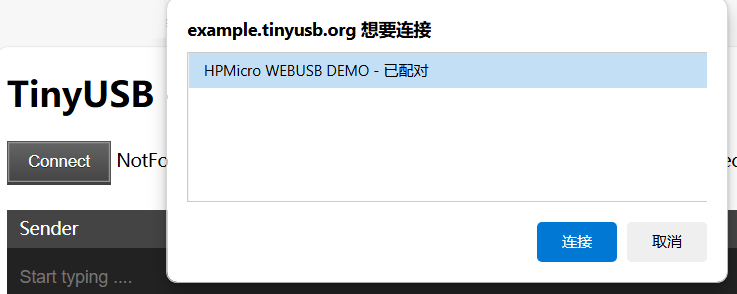
Please open the webpage (using a TinyUSB service) : https://example.tinyusb.org/webusb-serial/index.html .
Click the Connect button on the webpage, then select the HPMicro WEBUSB DEMO device, and click the Connect button. The webpage will establish a connection with the device, and the LED on the development board will light up.
The user inputs characters in the Sender window while the Receiver window will display the same characters.
Click the Disconnect button on the webpage to disconnect from the device, and the LED on the development board will turn off.
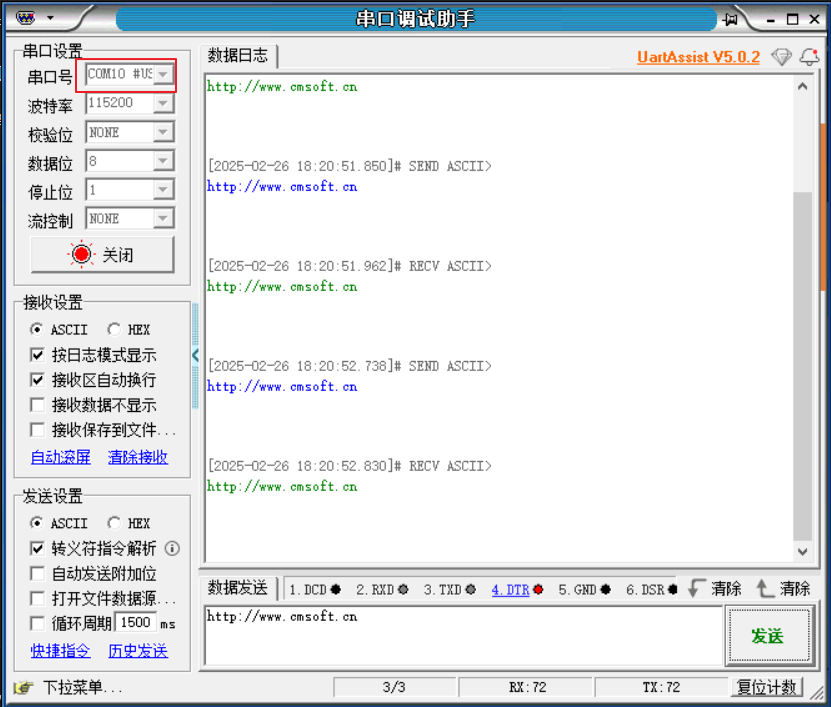
The user opens the serial port debugging assistant, selects the enumerated COM port, sends a character, and can see that the serial port debugging assistant displays the same character.