5.43. MSC Host
5.43.1. Overview
This example project shows USB MSC Host
5.43.2. Board Setting
Connect a USB port on PC to the PWR DEBUG port on the development board with a USB Type-C cable
Connect a USB port on the development board USB0 to a USB flash disk (Attention: The Cluster Size of the USB disk can’t exceed 128KB, it is recommended that the format parameter is exFAT/128KB) with a USB Type-C convert Type-A cable
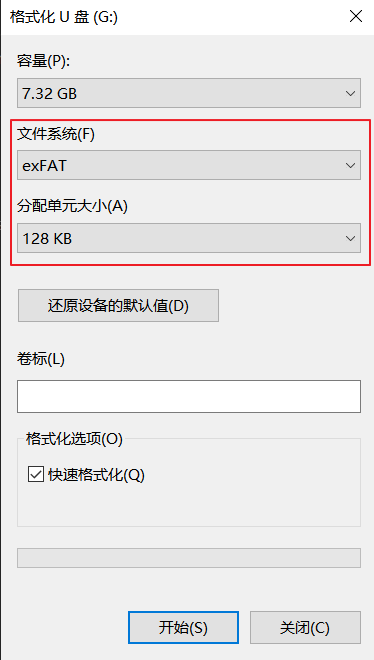
5.43.3. Running the example
Download the program to the development board to run, and use the serial port debugging assistant to view the output log
First, a “cherryusb _msc_test.txt” file will be created in the USB flash drive, and the string “cherryusb fatfs demo…” will be written into the file, with a total of 100 lines or 2500 bytes; Then read out the data of the file, with a total length of 2500.
Secondly, it will scan the directories and files under the root directory of the USB drive and print out the directory name and file name.
5.43.4. Example of output log
When the USB port0 of the development board is connected with a USB flash disk, the serial port debugging assistant will display the following data:
FATFS cherryusb mount succeeded!
test fatfs write
write success, write len:2500
test fatfs read
read success, read len:2500

Direcotry Path: /
Folder Name: LOST.DIR
Folder Name: DCIM
Folder Name: MIUI
Folder Name: Android
Folder Name: tencent
File   Name: USBHost.txt
File   Name: cherryusb_msc_test.txt