17.4. PNG decode
17.4.1. Overview
PNG decoding example project demonstrates how to decode a PNG file using LODEPNG software PNG library.
17.4.2. Board Setting
Connect the USB disk to the development board
usb0(Attention: The Cluster Size of the USB disk can’t exceed 32KB, it is recommended that the format parameter is FAT32/32KB), or insert the SD memory card into the development boardSD card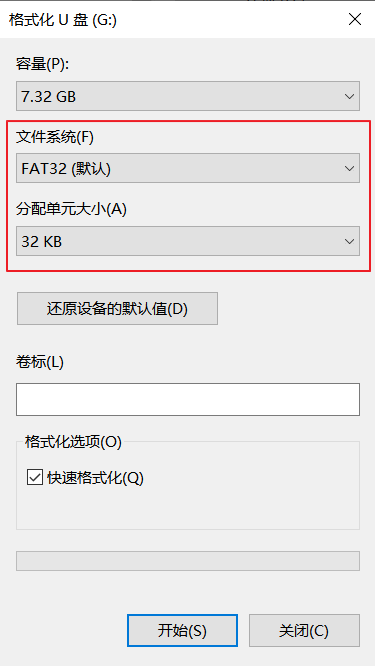
Connect LCD screen to development board
17.4.3. Configuration
File CMakeLists.txt.
set (PNG_USE_SDCARD 1)to read png file (.png) from SD card orset (PNG_USE_UDISK 1)to read png file (.png) from u-disk. These options are exclusive.
17.4.4. Supported picture formats
Supports standard PNG images
17.4.5. Image size supported by this routine
png file size is expected to be less than 1MB
17.4.6. Running the example
Configure storage in CMakeLists.txt, default is PNG_USE_SDCARD.
Put png files (with .png) into target storage
Connect LCD pannel and storage to board
Power on the board
Download built elf into development board and run the demo
If everything goes well, jpeg files stored in the target storage will be show on LCD pannel one by one.