19.16. lwip_tcpecho_multi_ports
19.16.1. Overview
This example shows TCP echo communication on multiple ports.
PC sends TCP data frames to MCU, and then MCU sends the data frames back to PC
19.16.2. Board Settings
Connect a USB port on PC to the PWR DEBUG port on the development board with a USB Type-C cable
Connect two Ethernet ports on PC to a RGMII port and a RMII port on the development board with two Ethernet cables
19.16.3. Project Configurations
Ethernet Port Settings: Refer to Ethernet common project settings
Ethernet DHCP Configurations
the configurations in the CMakeLists.txt as follows:
sdk_compile_definitions(-DLWIP_DHCP=0): Disable DHCP feature
sdk_compile_definitions(-DLWIP_DHCP=1): Enable DHCP feature
19.16.4. Run Example
Compiling and Downloading
Running log is shown in the serial terminal as follows:
This is an ethernet demo: TCP Echo On Multiple Ports (Polling Usage)
LwIP Version: 2.1.2
Enet1 Reference Clock: Internal Clock
Enet0 init passed!
Enet1 init passed!
================ Network Interface 0 ================
Static IP Information
IPv4 Address: 192.168.100.10
IPv4 Netmask: 255.255.255.0
IPv4 Gateway: 192.168.100.1
================ Network Interface 1 ================
Static IP Information
IPv4 Address: 192.168.200.10
IPv4 Netmask: 255.255.255.0
IPv4 Gateway: 192.168.200.1
================ Network Interface 1 ================
Link Status: Up
Link Speed:  100Mbps
Link Duplex: Full duplex
================ Network Interface 0 ================
Link Status: Up
Link Speed:  1000Mbps
Link Duplex: Full duplex
Run an Ethernet debugging tool
create and set two TCP clients:
TCP Server 0 IP: 192.168.100.10/Port: 5001 TCP Server 1 IP: 192.168.200.10/Port: 5002
Note: There is a necessary adjustment for Server IP according to the segment of LAN where PC resides
Connect
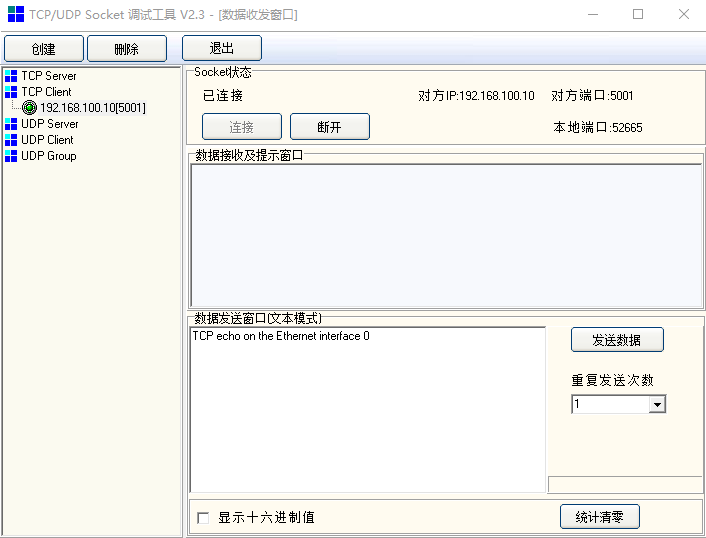
Enter and send any characters in the edit window(192.168.100.10/5001)
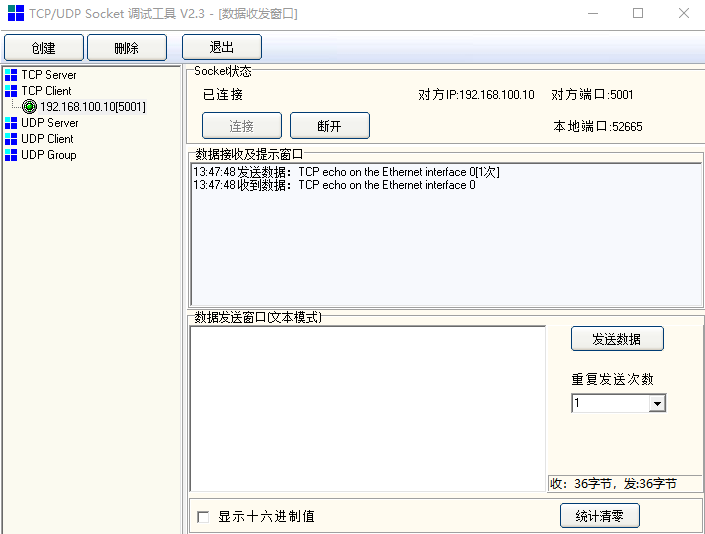
Watch the characters echoed from MCU window(192.168.100.10/5001)
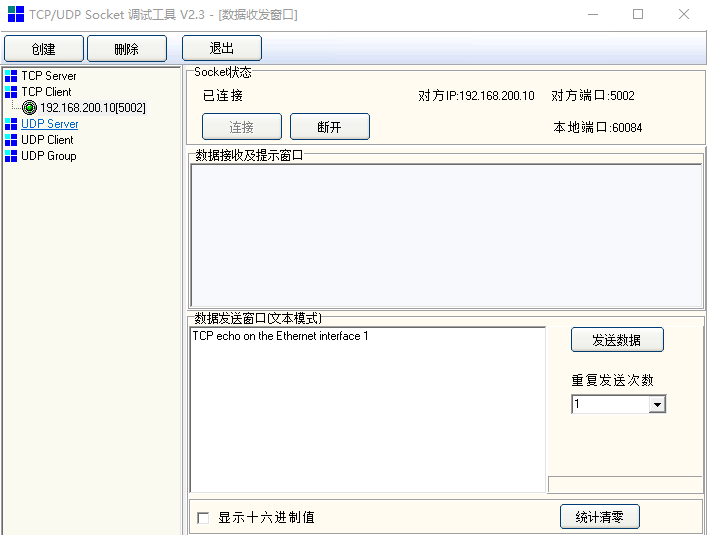
Enter and send any characters in the edit window(192.168.200.10/5002)
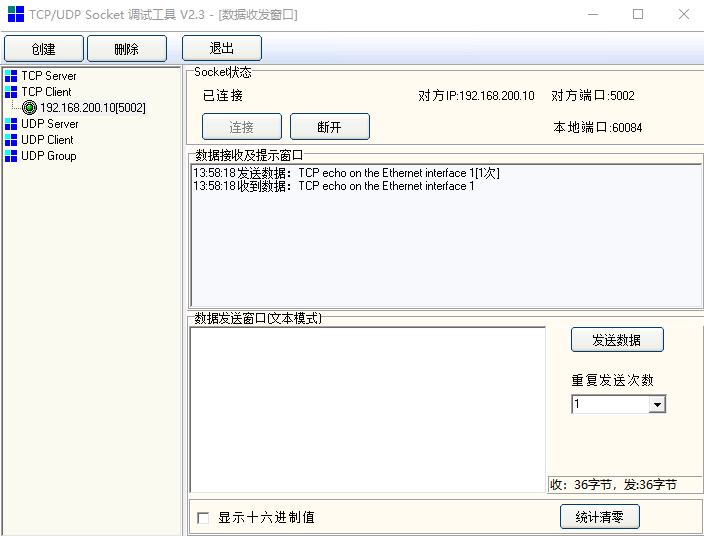
Watch the characters echoed from MCU window(192.168.200.10/5002)