25.1. linv2_master
25.1.1. 概述
Linv2_master工程展示了linv2在master模式接收和发送数据的功能。
25.1.2. 硬件设置
需要USB_LIN调试器 请参考具体开发板引脚描述部分的描述。 将开发板上的LIN接口与调试器的LIN接口相连。
25.1.3. 运行现象
运行此程序,需要配置usb_lin调试器
配置usb_lin调试器,选择正确的串口和波特率, 然后点击
设置到调试器: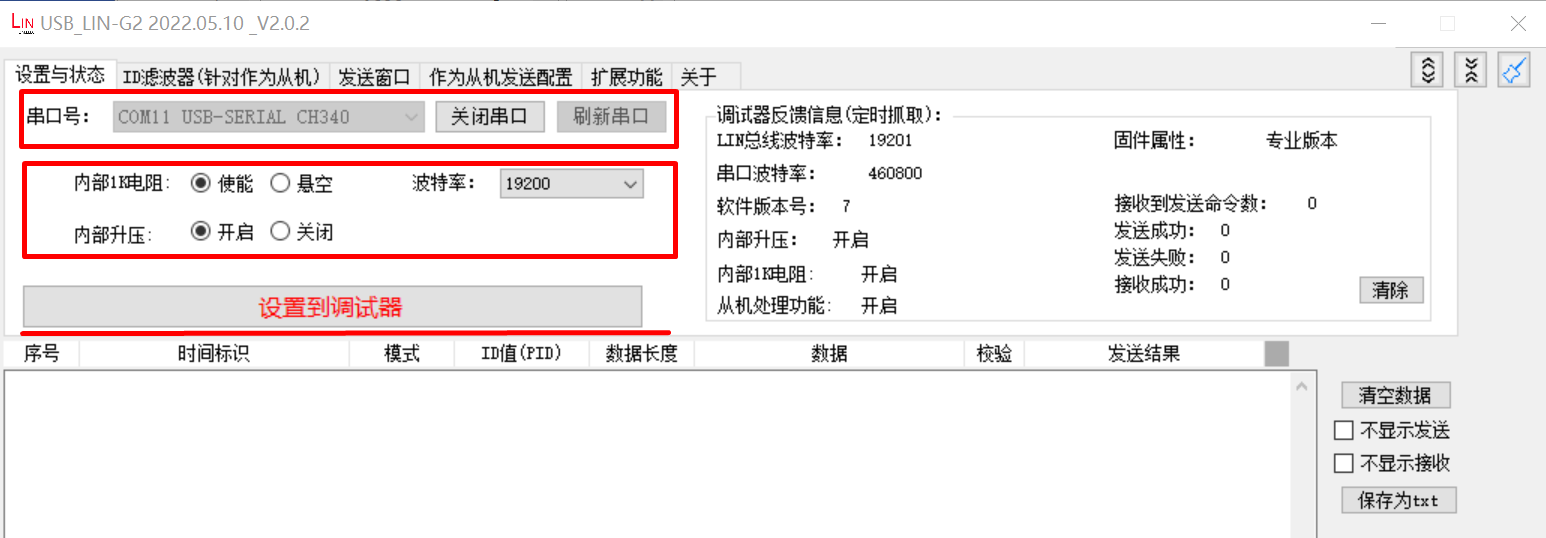
配置作为从机发送配置选项, 设置ID和数据以及校验方式,勾选使能选项, 点击
配置到调试器: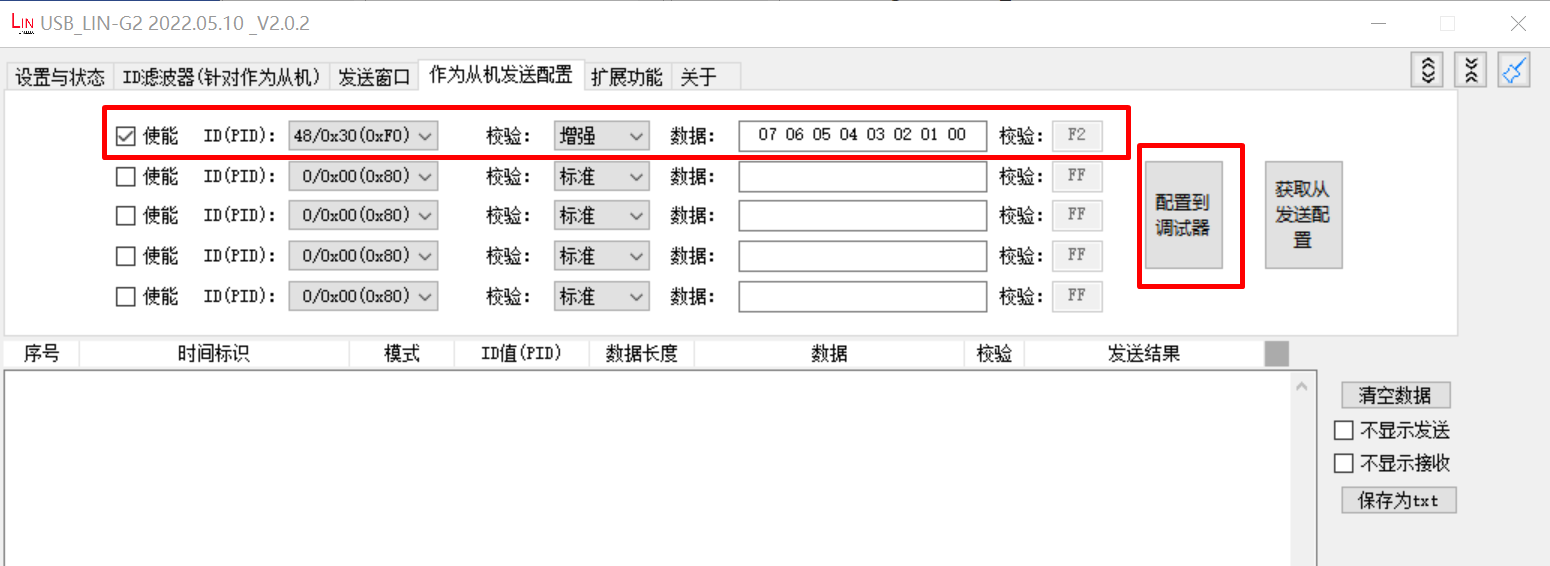
当程序正确运行之后, 调试器窗口可以看到结果:
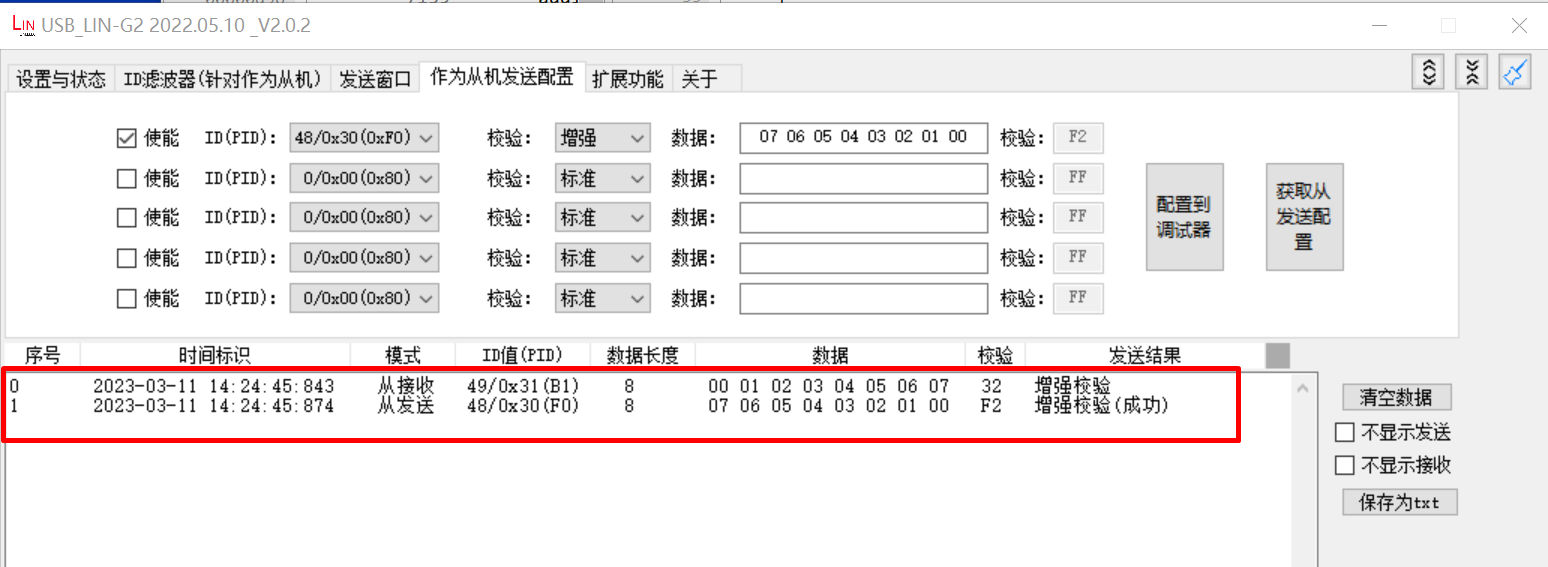
当工程正确运行后,串口终端会输出如下信息:
LIN master example
LIN master sent wakeup signal
ID: 31, sent 8 bytes:
0 1 2 3 4 5 6 7
ID: 30, receive 8 bytes
7 6 5 4 3 2 1 0