8. DAC
8.1. 概述
本示例展示DAC在三种工作模式的转换及波形显示
8.2. 硬件设置
8.3. 运行现象
串口终端显示如下信息
This is a DAC demo:
1. Direct mode
2. Step   mode
3. Buffer mode
Please enter the DAC mode code:
选择DAC转换模式,启动DAC转换,并通过示波器观察波形
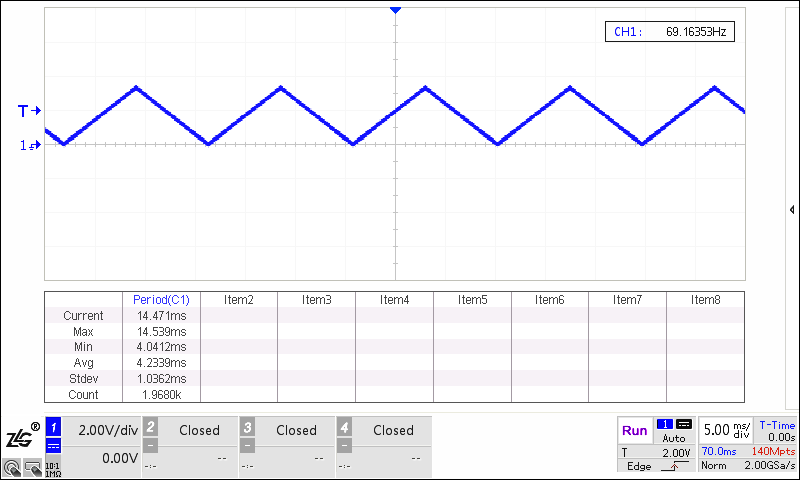
Direct 模式
Please enter the DAC mode code: 1
Set DAC to output data in direct mode
DAC is outputting a triangle waveform in direct mode
Step 模式
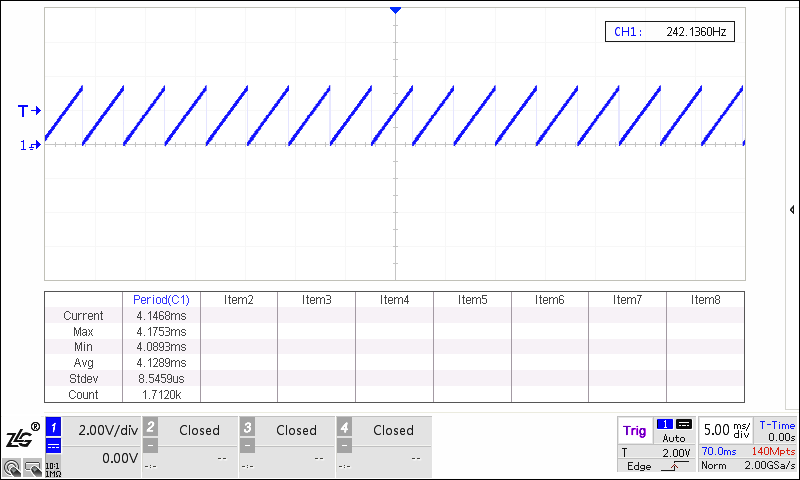
Please enter the DAC mode code: 2
Set DAC to output data in step mode
DAC is outputting a saw tooth waveform in step mode
Buffer 模式
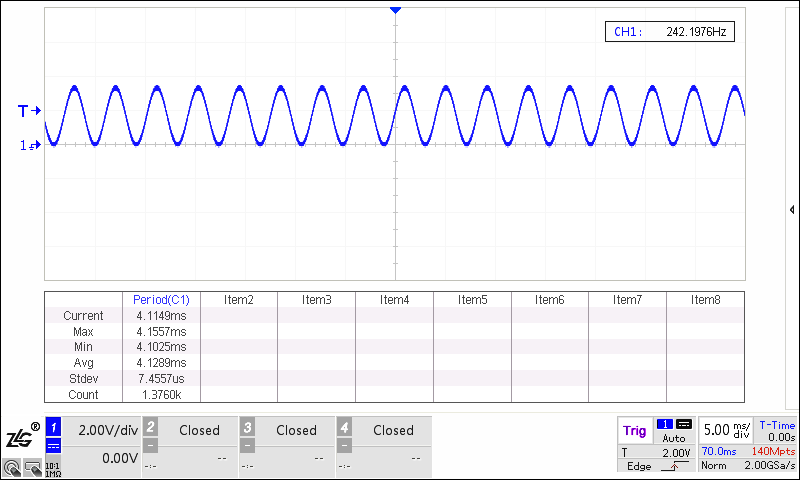
Please enter the DAC mode code: 3
Set DAC to output data in buffer mode
DAC is outputting a sine waveform in buffer mode
8.4. 注意
异常退出
在step模式或buffer模式中,按空格键退出测试,重新选择测试模式
在direct模式中,在测试完成后,按空格键退出循环,重新选择测试模式